%20(1).png)
June 15, 2026
How to Choose Retail Recruitment Software for Store Hiring
Learn how to choose retail recruitment software for store hiring, including candidate screening, first-round interviews, automation, manager review, and reporting
.avif)
Choosing retail recruitment software is not just about finding a tool with the longest feature list.
For store hiring, the real question is more practical: where does your hiring process slow down the most?
For some retail teams, the bottleneck is CV screening. For others, it is candidate follow-up, first-round interview scheduling, inconsistent store manager feedback, or weak shortlists that do not match outlet needs.
This matters because retail hiring is often fast-moving, repetitive, and location-based. A single hiring team may need to screen candidates for cashiers, sales associates, store crew, inventory staff, retail promoters, warehouse support, or seasonal store roles across multiple branches. If the software does not fit that workflow, it may add complexity instead of reducing work.
This guide explains how to choose retail recruitment software based on your hiring process, not just vendor claims.
Before comparing vendors, decide which hiring problem you are actually buying for.
If your team cannot see applicants clearly across stages, you may need an ATS. If your team already has applicant intake but spends too much time reviewing CVs, chasing candidates, running repetitive first-round calls, or preparing notes for store managers, you may need an early-stage screening layer.
A useful retail recruitment software decision should answer five questions:
This keeps the buying decision practical instead of feature-led.
Retail hiring is different from many office-based hiring processes because the roles are often high-volume, shift-based, and location-specific.
A store may need candidates who can start quickly, work certain shifts, communicate with customers, handle payment tools, follow store procedures, or manage busy periods. For warehouse or stockroom roles, the hiring team may need to check attention to detail, inventory awareness, order accuracy, and reliability.
The challenge is that many of these signals are not obvious from a CV alone.
A candidate may have retail experience but poor shift availability. Another may have limited formal experience but strong customer-facing judgment. A cashier candidate may look suitable on paper, but still need to be assessed on basic POS awareness, complaint handling, or how they respond during rush hours.
That is why retail recruitment software should not only help you collect applicants. It should help you move from applications to a clearer shortlist before store managers spend time interviewing candidates.
Before comparing software, map your current hiring workflow.
Most retail hiring processes break somewhere between application and manager interview. The issue may not be the number of applicants. It may be the amount of manual work needed to identify which candidates are worth reviewing.
Use this simple diagnostic:
This step helps prevent a common buying mistake: choosing software because it looks comprehensive, without confirming whether it solves your actual hiring bottleneck.
Not every retail hiring team needs the same type of recruitment software.
Some teams need an applicant tracking system to manage the full pipeline. Others already have a way to collect applicants but need help screening candidates before manager review.
Use this distinction before comparing vendors:
For retail teams, a screening layer is often useful when recruiters receive too many applications, store managers spend time with poorly matched candidates, first-round calls are repetitive, candidate follow-up is inconsistent, or seasonal hiring creates sudden screening overload.
Retail screening should go beyond “has retail experience” or “worked in a store before.”
Good retail recruitment software should let your team screen candidates based on the actual requirements of the role. For example:
This does not mean software should make final decisions. It means the system should help recruiters organize early signals before a human reviewer decides what to do next.
For example, AI resume screening can help retail teams review large candidate batches by matching profiles against criteria such as location, availability, start date, customer-facing exposure, or role requirements. The recruiter still needs to review the shortlist and decide which candidates should move forward.
Many retail hiring teams lose time because every first-round screen requires live scheduling.
This creates delays. Recruiters need to contact candidates, wait for replies, arrange calls, reschedule missed interviews, ask repetitive questions, take notes, and then summarize everything for store managers.
When choosing retail recruitment software, check whether it supports structured first-round interviews that candidates can complete on their own time, without live scheduling.
This is especially useful when hiring for:
A strong first-round interview workflow should help recruiters ask consistent questions across candidates, assess role fit earlier, and reduce the need for repeated manual calls.
For retail roles, interview questions may cover:
The goal is not to remove human review. The goal is to give recruiters and hiring managers better information before they invest time in the next interview.
Retail hiring covers many different job types. A cashier, inventory controller, sales associate, and store supervisor should not be evaluated with the same generic scorecard.
When reviewing software, ask whether the assessment criteria can be adjusted by role.
For example, a cashier screening process may focus on accuracy, customer politeness, payment flow, and how the candidate handles queue pressure. A sales associate assessment may focus more on product explanation, customer need discovery, and confidence in recommending products. An inventory role may focus on stock accuracy, process discipline, and attention to detail.
Generic assessment can create weak shortlists because it treats very different retail roles as if they require the same signals.
A better approach is to define what “good fit” means for each role before candidates are screened. Then the software can help structure the interview and reporting process around those criteria.
Retail hiring often fails because of follow-up speed.
A candidate applies, but the recruiter is busy. The first message goes out late. The candidate misses the interview link. The recruiter manually follows up. The candidate does not respond. Another candidate is contacted. The same pattern repeats across dozens or hundreds of applicants.
This is why automation matters in retail recruitment software.
Look for automation that supports:
Automation is most useful when it reduces repetitive coordination work while keeping recruiters in control of the hiring process.
It also should not replace reference checks, employment validation, background checks, or other required verification steps. Instead, it should help candidates move through early screening more smoothly and help recruiters spend more time reviewing the right candidates.
A common retail hiring problem is not just screening candidates. It is handing candidates over to store managers in a useful way.
If recruiters send only a name, CV, and short comment, managers may still need to repeat the same basic questions. This slows down the process and creates inconsistency between stores.
When choosing retail recruitment software, check the quality of the candidate report.
A useful candidate report should help managers understand:
This is especially important when recruiters and store managers are not in the same location. A clear report helps both sides review the same information and align faster before the manager interview.
For example, BilaBila Mart used KitaHQ to screen retail and warehouse candidates on customer handling, shift fit, product knowledge, point-of-sale judgment, warehouse safety, and stock accuracy before further review. This type of workflow is useful when recruiters need to prepare clearer candidate reports for store managers without turning every first-round screen into a manual call.
The right software depends on your hiring setup.
Use this table as a practical guide:
This table also helps clarify when retail recruitment software may not be enough.
If your biggest problem is employment contract management, payroll, onboarding documents, or employee records, then you may need HRIS or onboarding software instead. If your biggest problem is final selection for senior leadership roles, you may need a more human-led assessment process.
Retail recruitment software is most useful when the problem is early-stage hiring work: screening, interview coordination, candidate follow-up, and manager-ready shortlists.
Before buying retail recruitment software, ask vendors practical workflow questions.
These questions are important because retail recruitment software should fit your actual hiring operations. A tool may look strong in a demo but still fail if it does not match how your recruiters and store managers work.
A vendor may look strong in a demo but still fail in daily store hiring. Watch for these red flags before buying:
A long feature list does not guarantee a better hiring process. Start with the bottleneck: screening, interview scheduling, candidate follow-up, assessment, or manager review.
Cashiers, sales associates, inventory staff, and store crew need different screening criteria. Generic scoring can produce weak shortlists.
If candidates do not respond or complete screening steps, the process will still be slow. Look for automation that supports reminders and re-invites.
A shortlist without interview notes, scores, summaries, or recordings may force managers to repeat basic screening work.
Recruitment software should support better review, not replace human hiring judgment.
KitaHQ fits retail teams that need to reduce manual early-stage screening work before recruiter or manager review.
It is designed to support workflows such as AI resume screening, AI video interviews, role-based interview assessment, recruitment automation, and candidate reports. For retail hiring, this can help teams screen candidates for store, cashier, sales associate, retail promoter, inventory, and store crew roles before moving selected candidates to the next hiring step.
KitaHQ is not positioned as a replacement for recruiter judgment or hiring manager review. Hiring teams still decide who moves forward, who should be interviewed further, and who should be hired.
This makes it a better fit for teams that want to structure early-stage retail screening, reduce repetitive manual work, and give managers clearer candidate information before interviews.
Retail recruitment software should make store hiring easier to manage, not harder to operate.
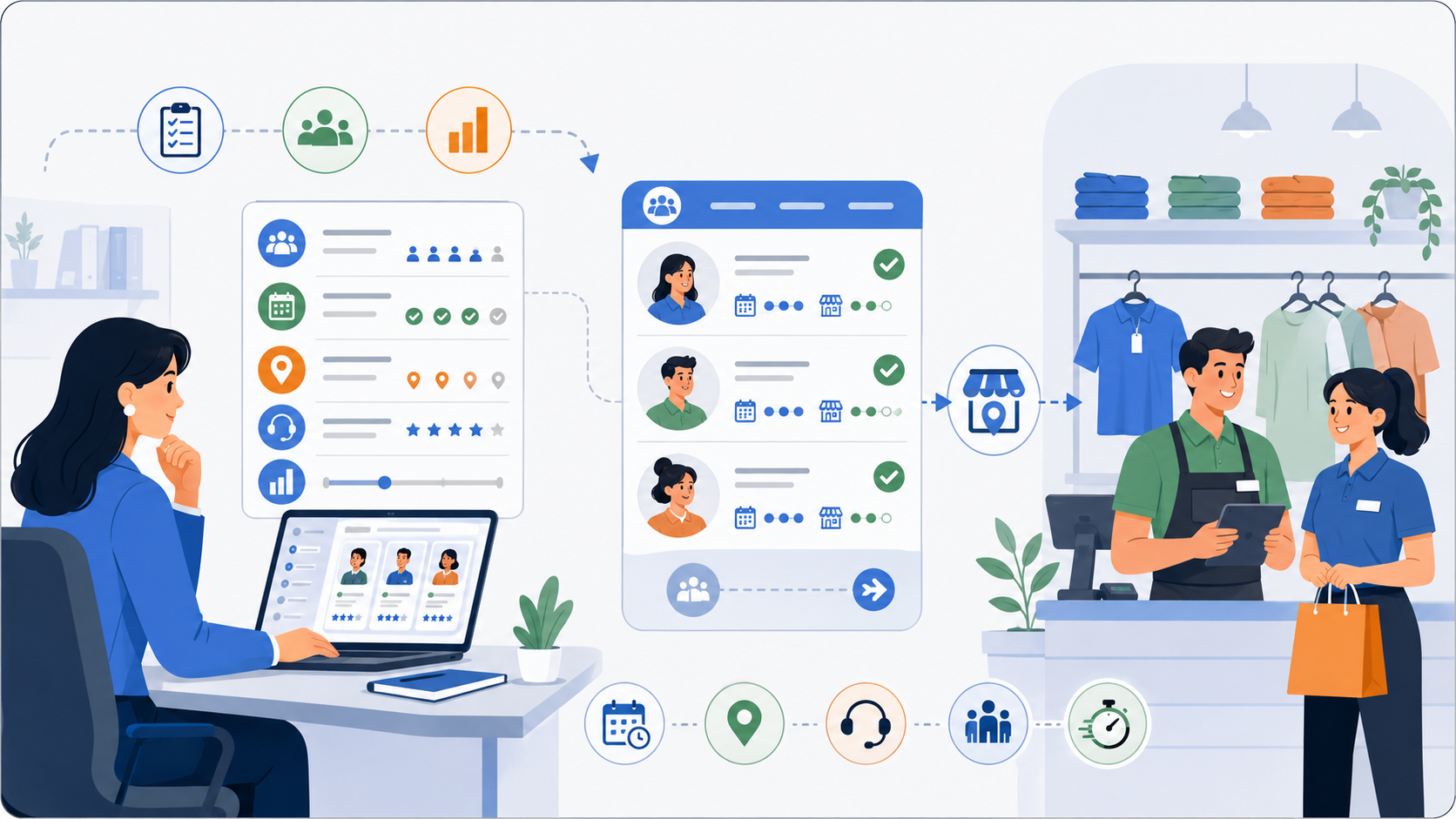
The best choice depends on where your hiring process breaks today. If your team struggles with too many applicants, prioritize screening. If candidates drop off, prioritize follow-up automation. If managers receive unclear shortlists, prioritize candidate reports. If recruiters spend too much time on repetitive first-round calls, prioritize structured interviews that candidates can complete on their own time.
For retail teams hiring across stores, outlets, and seasonal campaigns, the strongest software is usually the one that connects these steps into a clearer workflow: screen candidates, invite them, assess role fit, prepare reports, and let recruiters and managers make the next decision.
To see how KitaHQ supports early-stage screening for store hiring, explore its retail recruitment software for store hiring.
KitaHQ is an AI hiring software that helps teams screen faster, run AI video interviews, and evaluate candidates consistently.