.avif)


Who This Is For in Office Assistant Hiring
Office assistant recruiting software built for repeatable admin, front office, and office support roles.
Office Administration
- Office Assistant
- Administrative Assistant
- Admin Staff
Front Office & Coordination
- Front Desk Assistant
- Reception Support
- Office Coordinator
General Affairs Operations
- General Affairs Staff
- GA Admin
- Office Staff
Where Office Assistant Hiring Slows Down
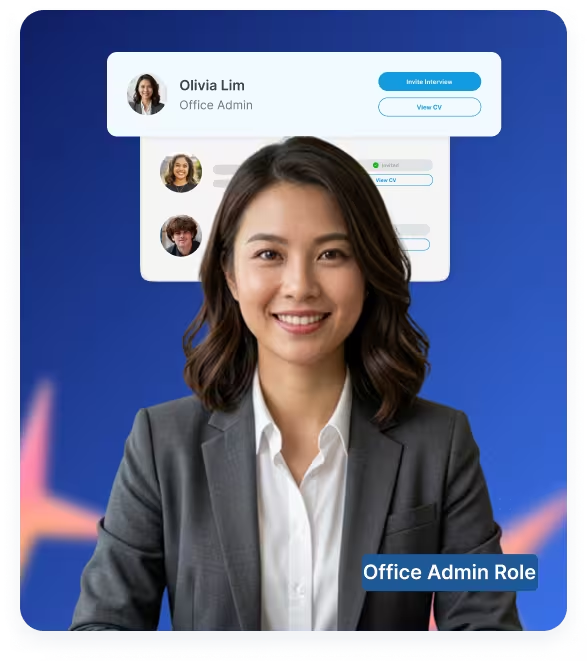
Office assistant roles look simple, but weak screening often creates repeated interviews and late-stage mismatches.
.svg)
Similar Resumes
Many candidates list admin, Microsoft Office, or data entry, but don’t show how they actually handle real tasks.

Unclear Software Readiness
Candidates may say they use Excel, Word, or email tools, but recruiters still need to verify how they’ve actually used them.
.svg)
Repetitive First-Round Screens
HR teams repeatedly ask the same basic questions on admin experience, availability, and communication.

Late Deal-Breakers
Issues like location, start date, or schedule surface after time has already been spent reviewing the candidate.
What to Assess in Office Assistant Hiring
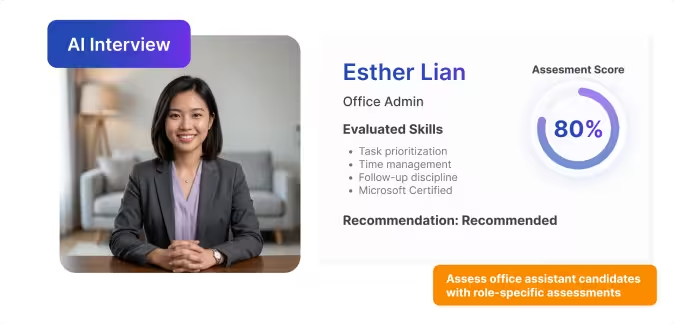
Office assistant hiring software should help teams check practical admin readiness.
Workplace Support Experience
Experience with office support, supplies, facilities, and internalservice tasks.
Task Prioritization
How candidates decide what to do first when several people ask for support at the same time.
Service Mindset
How candidates respond to employee requests, visitor needs, urgent office issues, or repeated operational tasks.
Communication & Follow-Up
Whether candidates can give clear updates, ask clarifying questions, and follow up without being chased.
Document Accuracy
How candidates check names, formats, file versions, and attachments before sending work to a manager.
Schedule, Site, and Role Fit
Whether candidates can work the required hours, location, office setup, and day-to-day support expectations.
Where KitaHQ fits in the Office Assistant Hiring Workflow
KitaHQ helps standardize early screening for office assistant candidatesbefore the manager review stage.
1

Sourcing
Applicants can come from job boards, referrals, walk-ins, local job campaigns, or company career pages.

AI Resume Screening
Screen office assistant candidates based on admin experience, education level, and role fit.
2

AI Video Interview
Run structured first-round interviews without scheduling, with summaries, scores, and recordings.
3

AI Skill Assessment
Evaluate task judgment through scenarios on prioritization, accuracy, and communication.
4

Manager Review
Review shortlisted candidates with key insights, answers, and recordings before moving forward.
5

Example Office Assistant Screening Questions
Start with these example questions to screen office assistant candidates more consistently.
Role: General Affairs Staff
QUESTION
“Describe the office support tasks you handled, what was routine and what required coordination?”
SKILLS ASSESSED
Work experience
Coordination ability
Task ownership
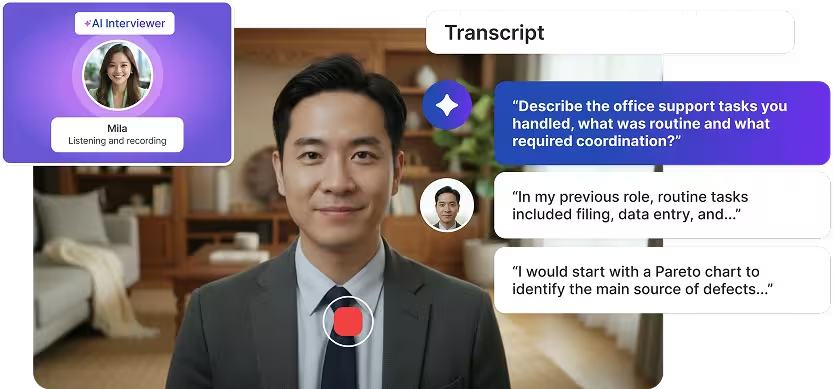
Role: Office Admin
QUESTION
“Your manager gives you three urgent admin tasks at once. How would you organize them?”
Skills Assessed
Task prioritization
Time management
Follow-up discipline
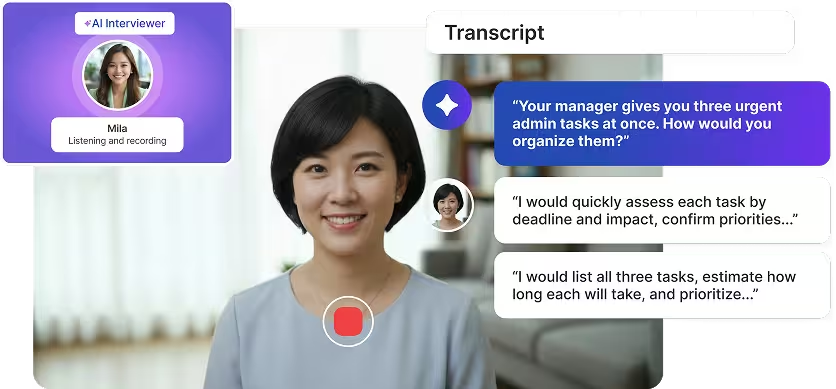
What Hiring Managers Receive After the Interview
Office assistant recruiting software helps managers review candidates with morecontext before spending time on final interviews.

Candidate Summary

A concise summary of the candidate’s office support experienceworkplace readiness, communication style, availability, and role fit.

Transcript and Recording
A full transcript and recording of the candidate’s first-round answers for manager review.

Candidate Scorecard
Clear notes on areas such as strong service mindset, unclear task ownership, or possible mismatch with site expectations.

Candidate Analytics
A side-by-side view of candidates so managers can compare admin readiness, and role fit before moves forward.
.webp)

.webp)
.webp)
Where KitaHQ Fits Best in Office Assistant Hiring Workflow
KitaHQ delivers the most value for fast and structured initial screening.
Fit Cases for
Using KitaHQ

High volume of junior admin applicants
Too much time spent on basic screening
Managers repeating the same questions
Where Humans Are
Still Required
Final hiring decisions
Salary negotiation and job offers
Reference checks and employment validation
Final team fit and manager judgment
Explore Other Hiring Solutions


Frequently Asked Questions
Understanding AI Hiring in Office Assistant Role
Can KitaHQ be used for both office staff and general affairs hiring?
Yes, when the role is repeatable and focused on workplace support, office operations, front office support, branch support, or internal service tasks.
When is KitaHQ not the right fit?
It is not ideal for executive assistant, senior office manager, finance-heavy admin, or legal admin roles.
What still needs humans?
Final interviews, manager judgment, salary negotiation, reference checks, and final hiring decisions.
Does KitaHQ replace background checks?
No. Background checks, employment validation, and license or certification checks stay outside KitaHQ.
How can managers trust the shortlist?
Managers receive summaries, scores, transcripts, and recordings before deciding who to interview.
Is this useful for one-off hiring?
Usually not. KitaHQ fits better for repeated hiring or high applicant volume.
Can KitaHQ support regulated admin roles?
Yes, for screening and structured evaluation, but verification remains human-led.
Make Office Staff Hiring Easier to Review
Use structured first-round interviews to check admin readiness, communication, and workplace fit before manager review.
Schedule Your Call