HireOS: Candidate Management Software

Manage Candidates at Scale. Hire with Confidence.

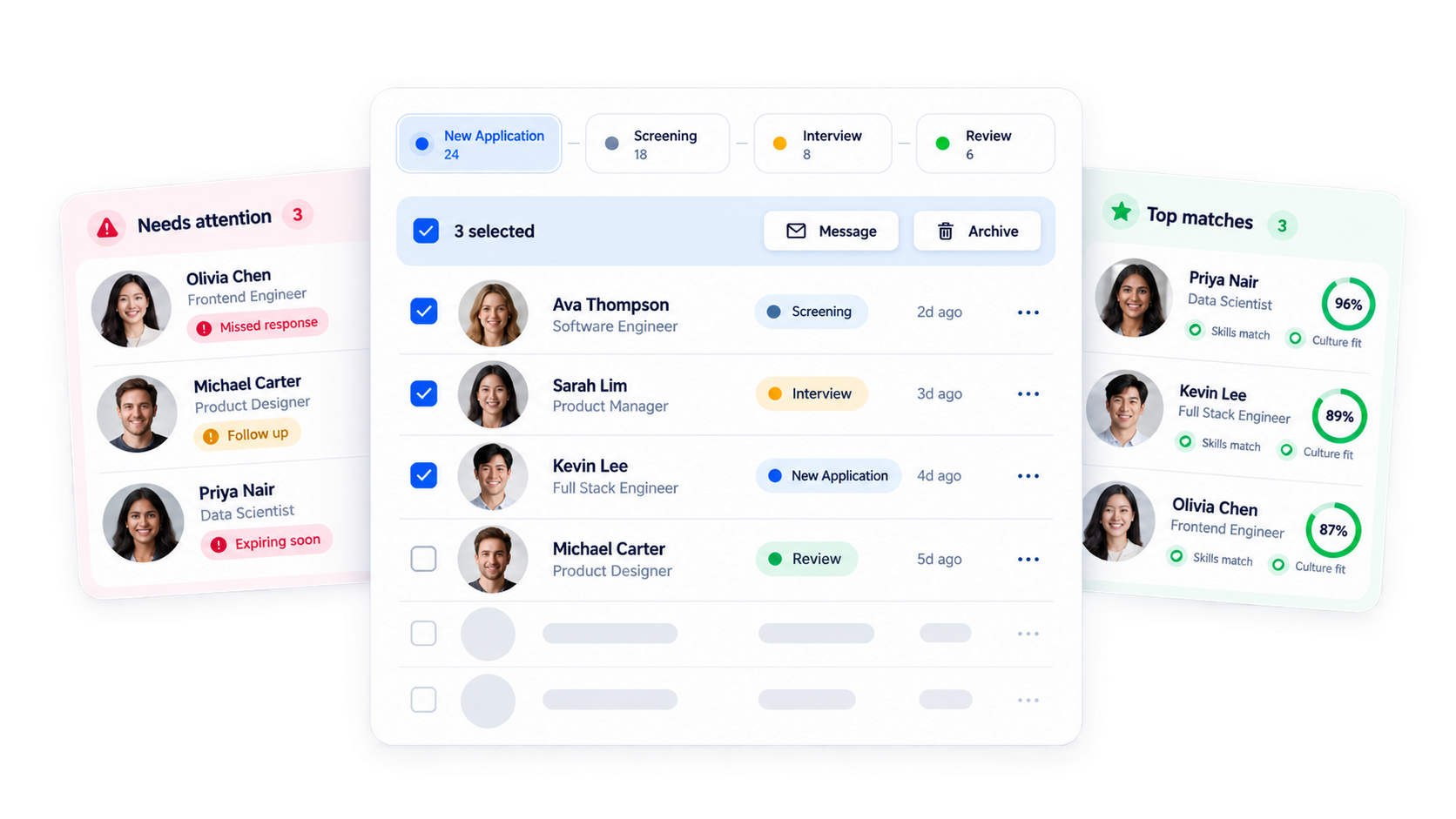
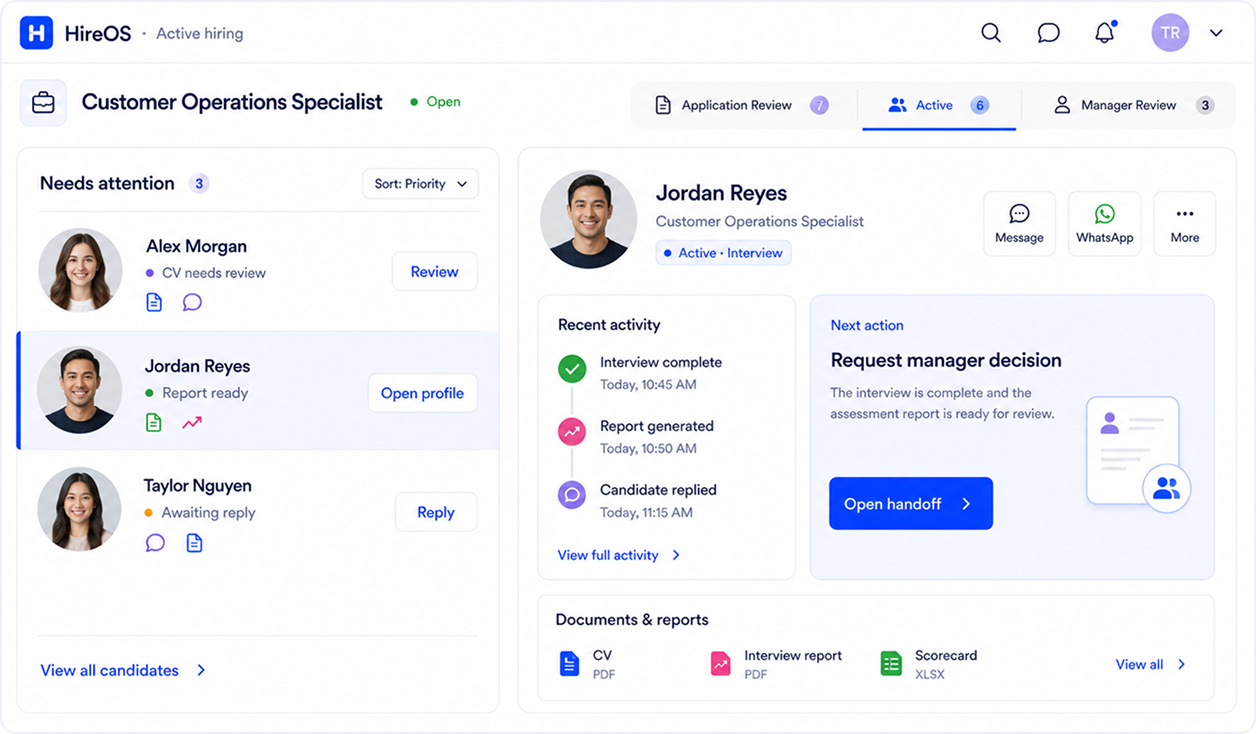
Turn high applicant volume into organized pipeline progress. HireOS unifies candidate profiles, screening evidence, and team chats into one platform.

Built for recruitment teams and agencies managing high-volume candidate pipelines.

Trusted by 500+ high-growth hiring teams

TWO WAYS TO GET STARTED

Bring your candidates in.
Your way.

Keep the sources that work for you. Choose how candidates enter KitaHQ
ALREADY HAVE CANDIDATES?
Import your existing candidates
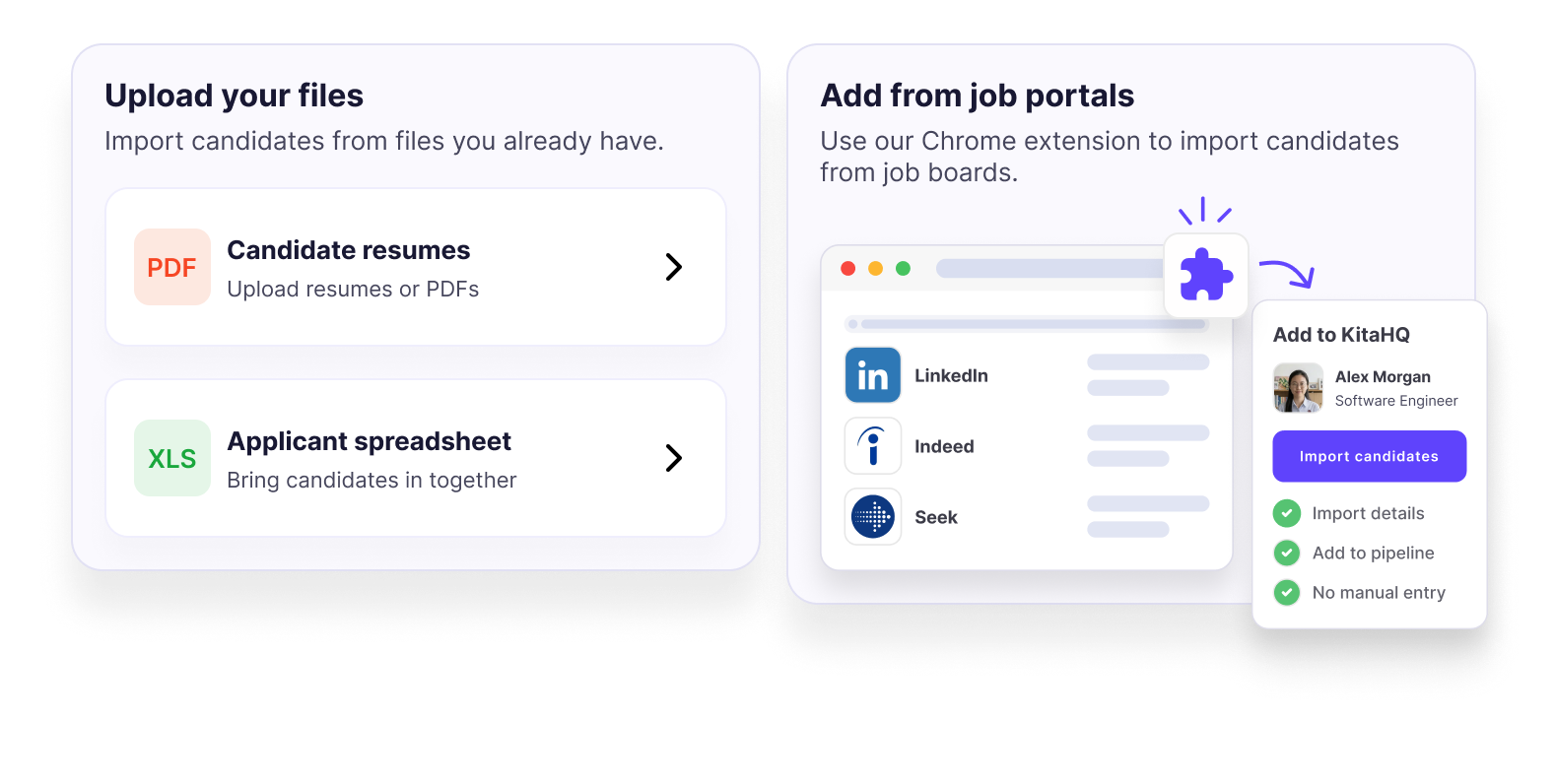
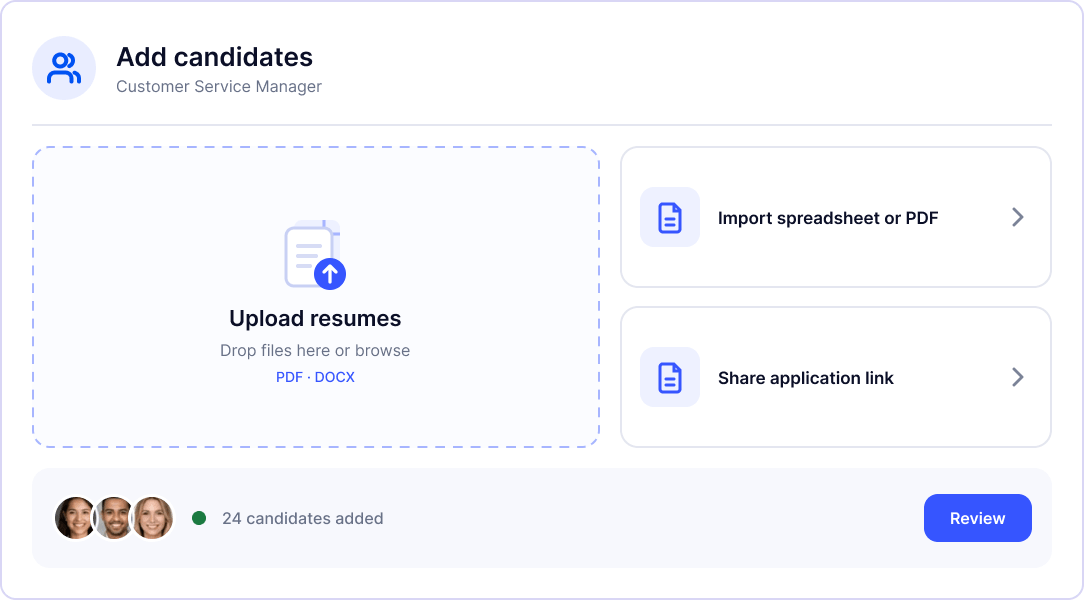
Upload resumes, spreadsheets, or PDFs, or let our Chrome extension detect CVs you download from job portals and add them to HireOS automatically.
READY TO RECEIVE APPLICATIONS?
Share a link. Let candidates apply.
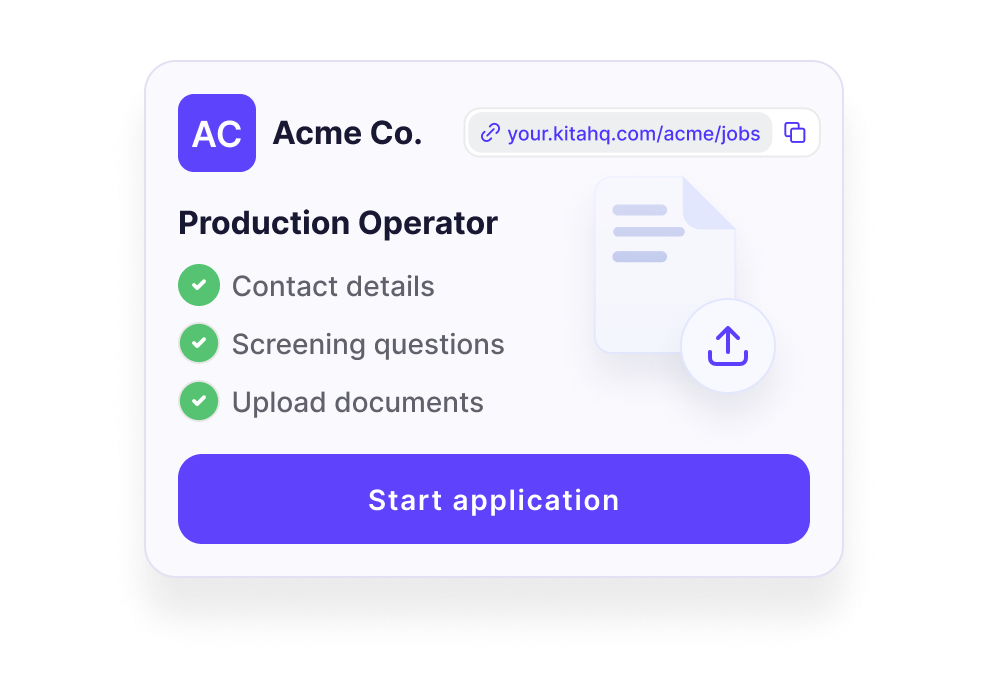
Create a branded application link with your company logo. Candidates can submit their details, answer screening questions, and upload requested documents.

BUILD AROUND YOUR TEAM

Your hiring.
Your way of working.

For internal talent teams
Coordinate hiring across roles, locations, and hiring managers. Keep candidate progress and review outcomes visible to the people involved in each hire.
For recruitment agencies
Prepare client-ready CVs with AI CV formatting and agency branding. Review edits, control the details shown, and share selected candidates through private client portals.

Your candidate data.
Your team in control.

Encrypted Data
Candidate information is encrypted in transit and at rest.
Controlled Access
Protect candidate information with role-based permissions and multi-factor authentication.
No AI Model Training
Candidate data is never used to train KitaHQ or third-party AI models.
Explore Security

How HireOS Works

Systemize Active Hiring in 5 Steps

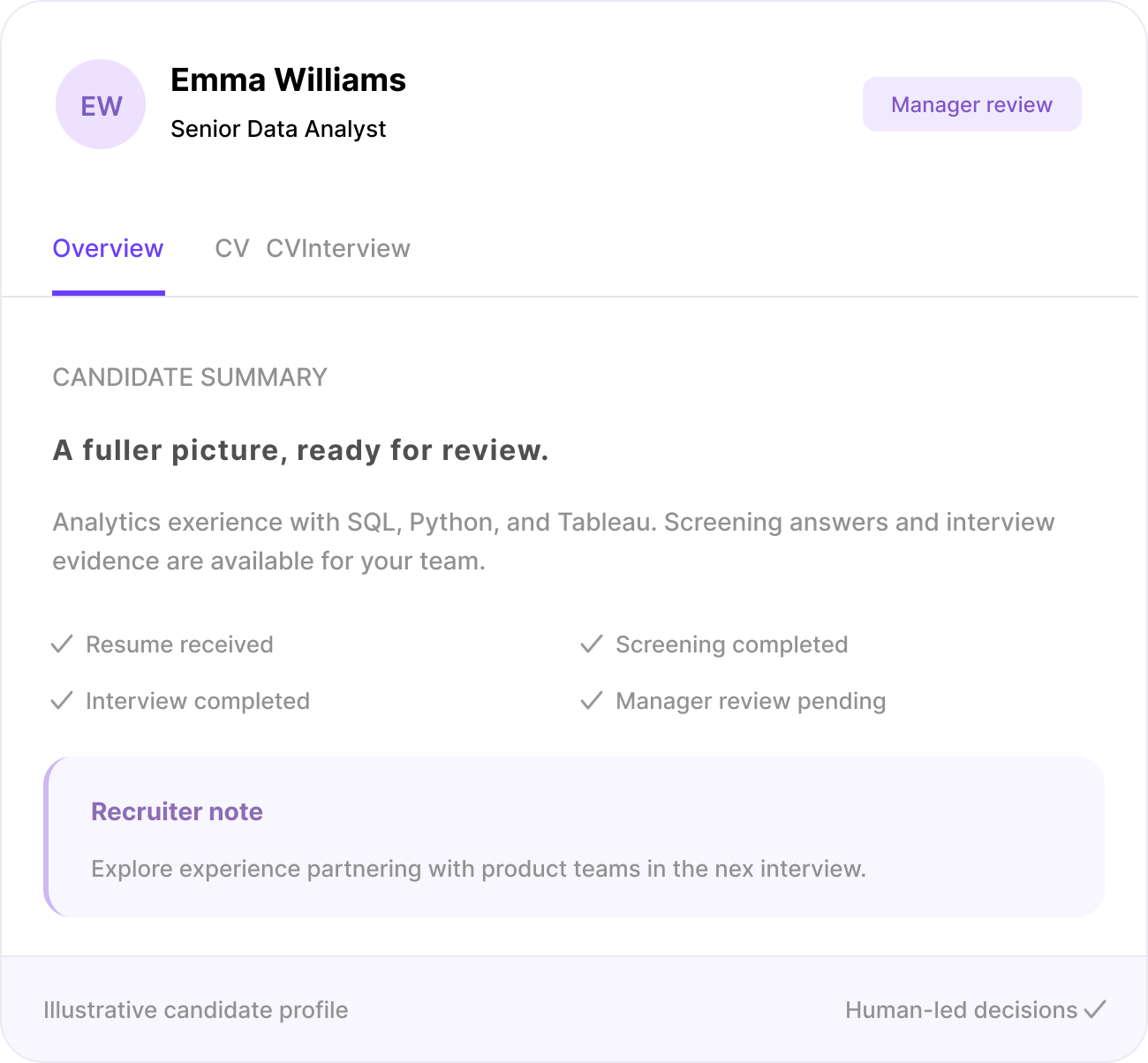
KitaHQ creates one connected record for every candidate in an active hiring process, showing recruiters who the candidate is, what has happened and what should happen next.
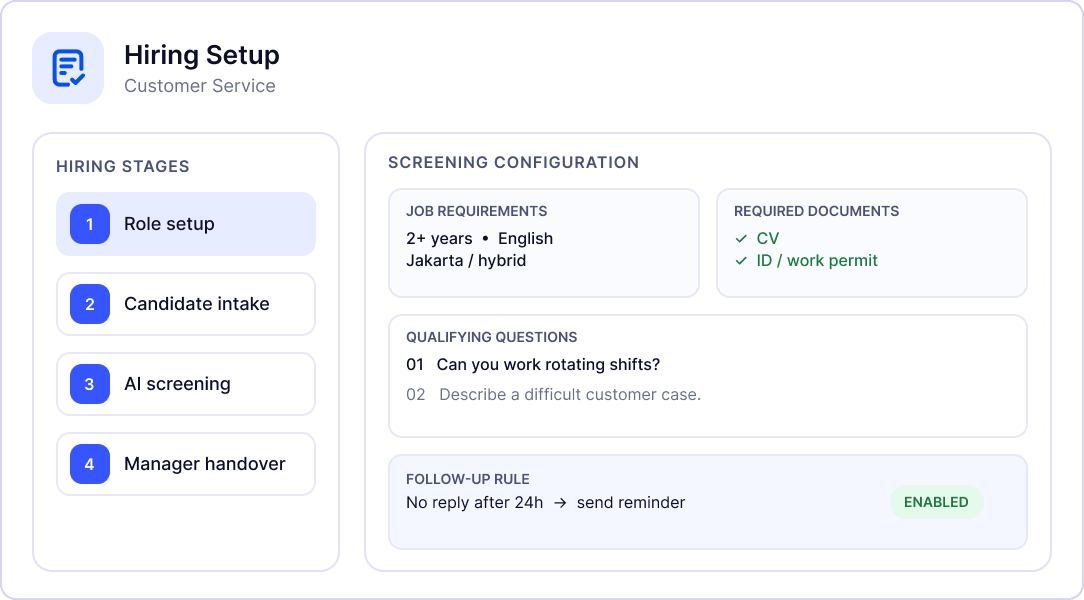
Blueprint the Role
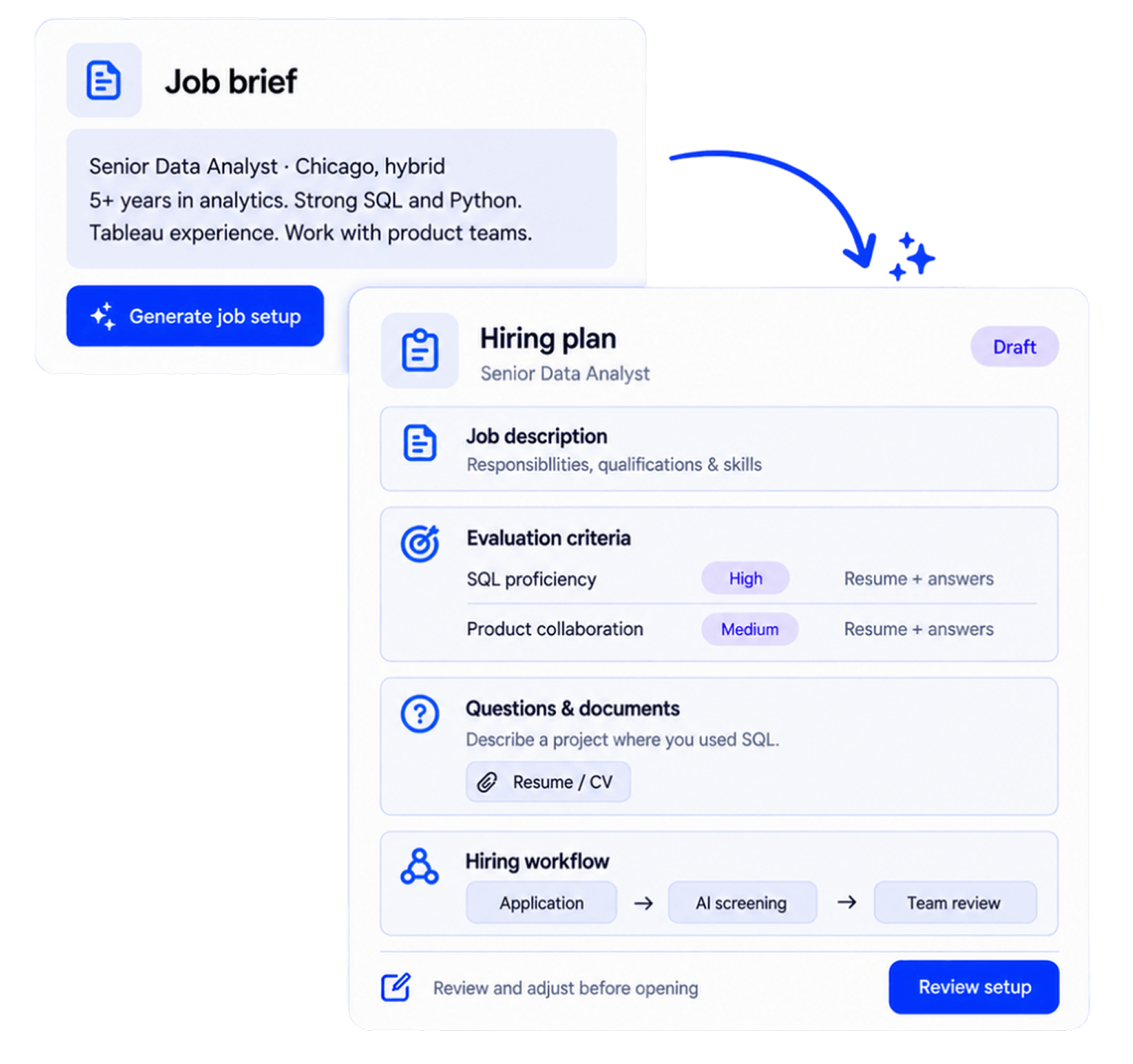
Define job requirements and hiring stages, qualifying questions, required information or documents, and follow-up rules.
Bring Candidates In
Add applicants through bulk resume uploads, spreadsheets or PDFs, or let them apply through branded application forms and your hosted career page. Organize candidates by job and track their progress through your hiring pipeline.
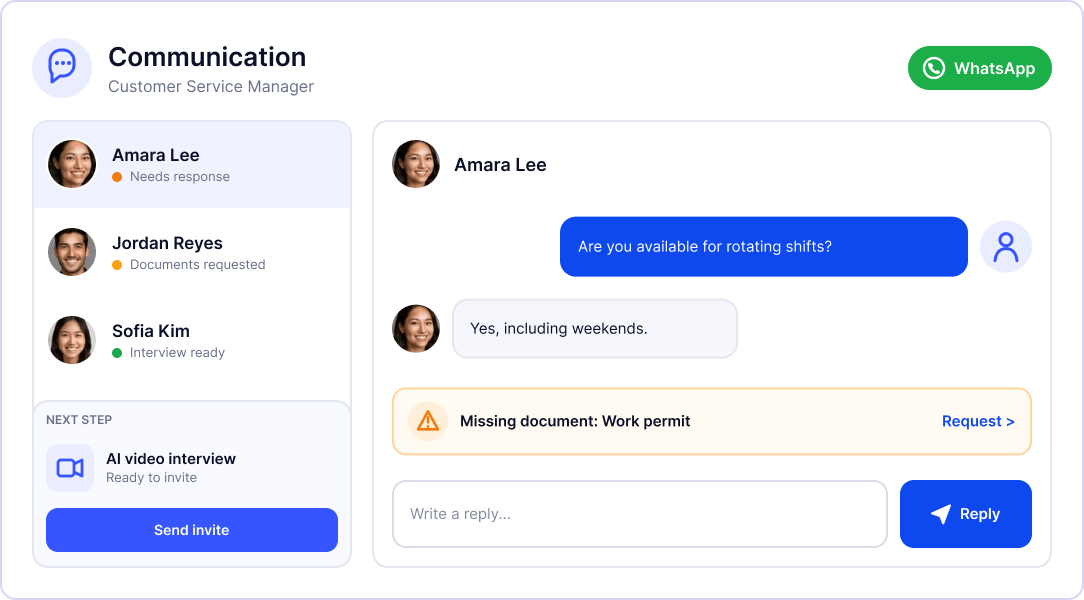
Keep Candidate Communication Moving
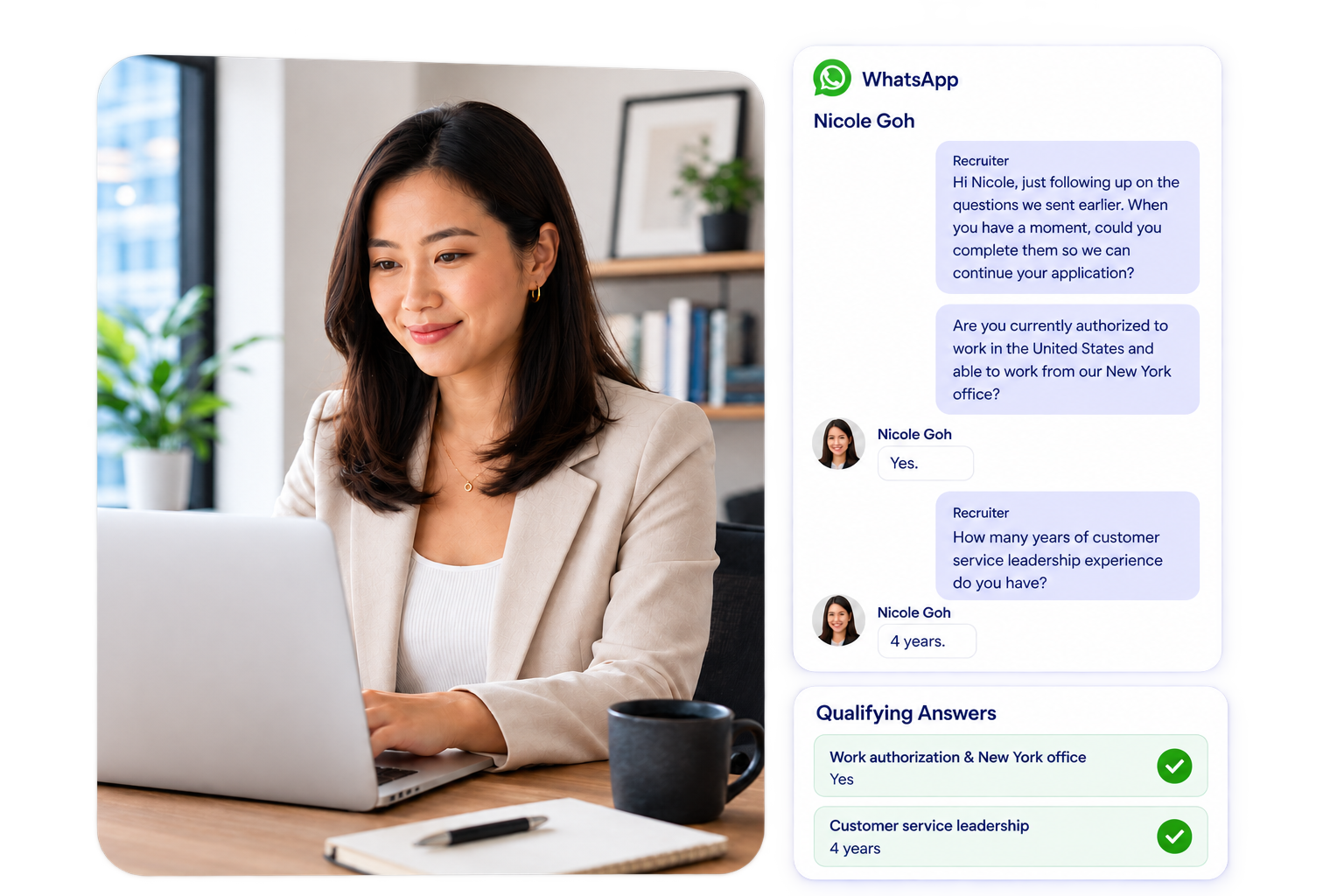
Manage candidate conversations across email, WhatsApp, and SMS in one workspace. Request missing information and send follow-up reminders to keep candidates on track.
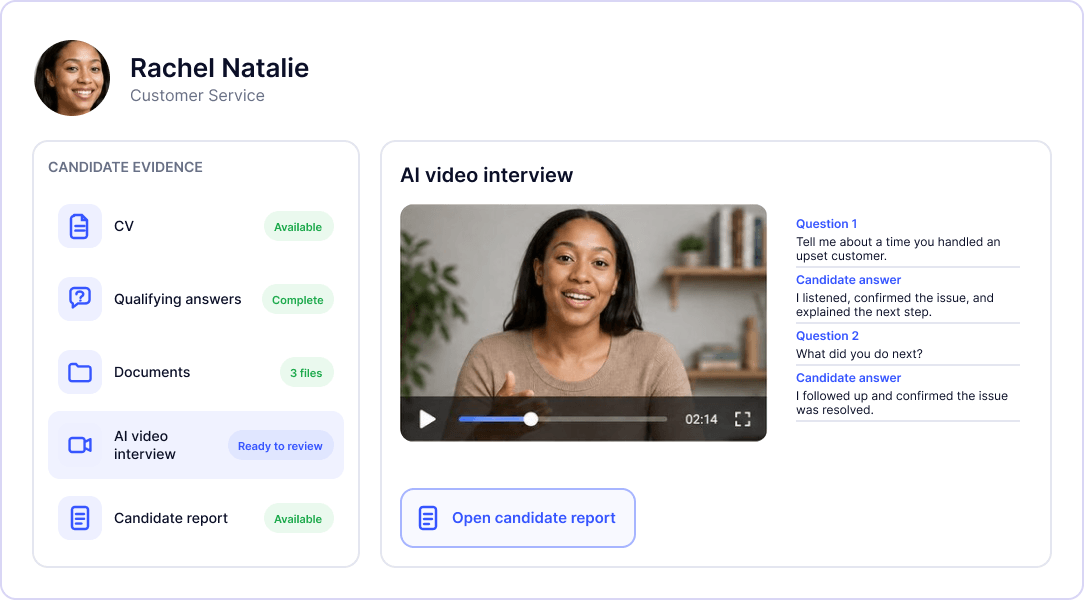
Screen Candidates and Evaluate the Evidence
Screen candidates through application questions, AI resume reviews, and AI video interviews. Evaluate their answers, documents, and results in one candidate profile.
Execute Handovers
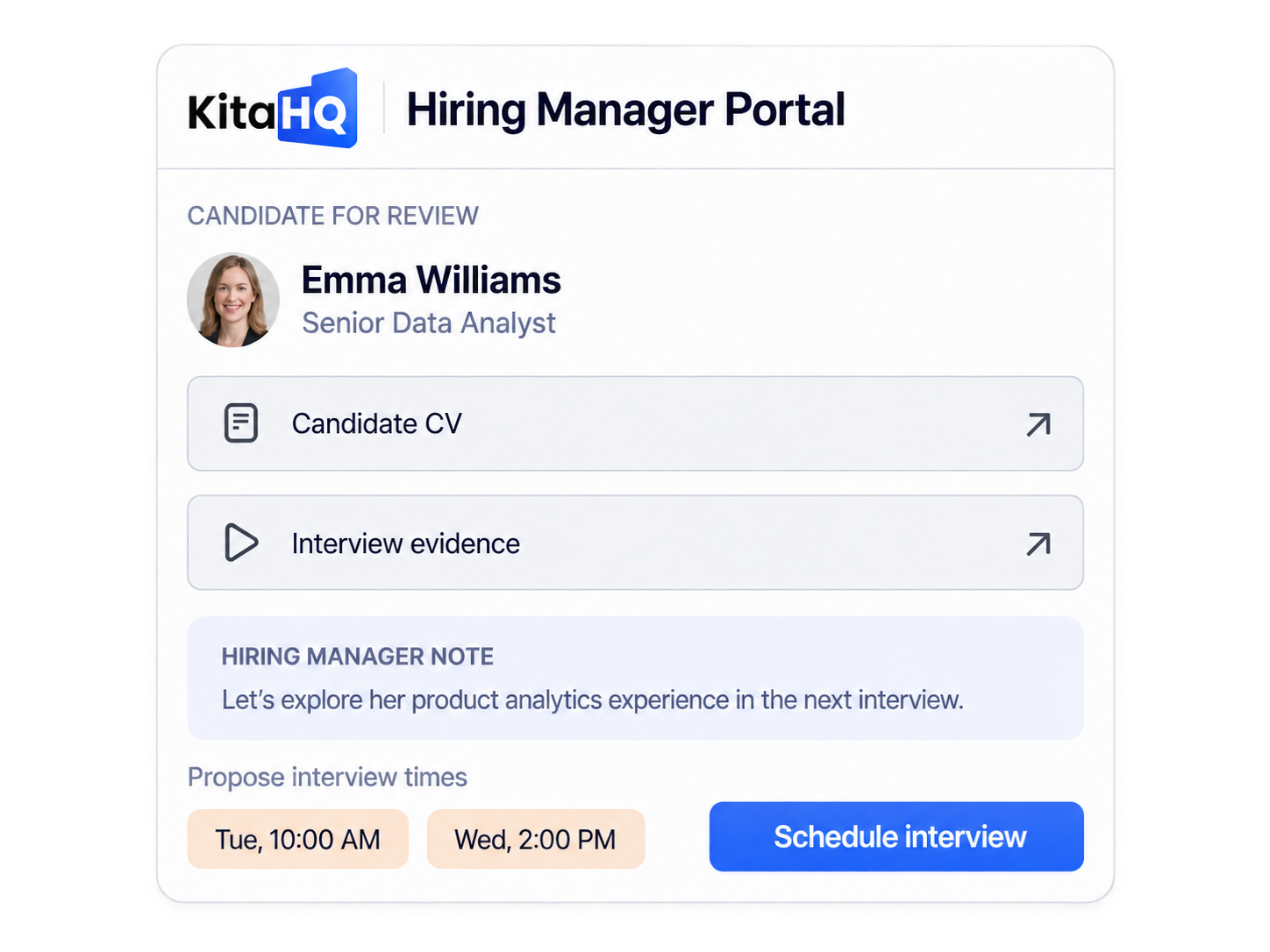
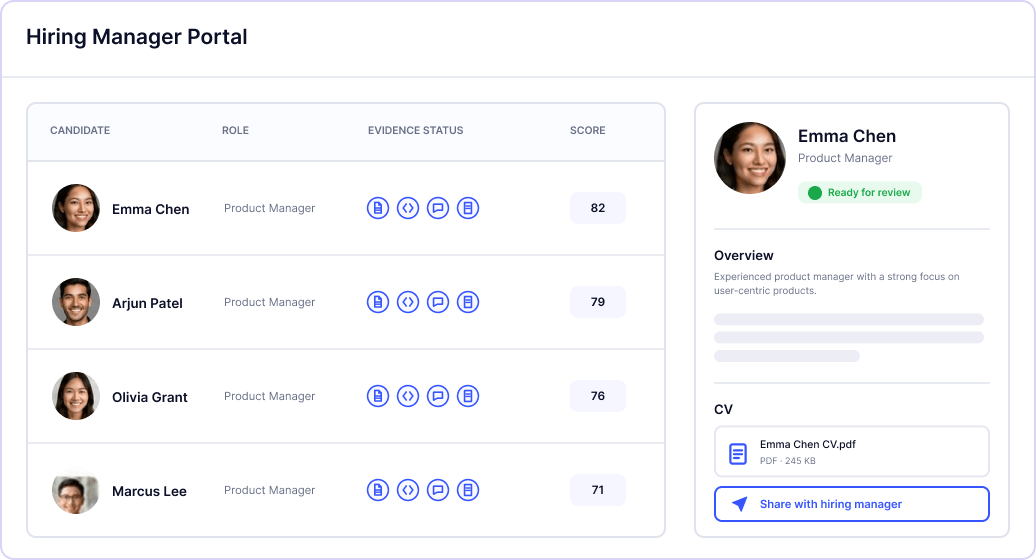
Share selected candidates securely through the private Hiring Manager Portal for review.

Connect Your Candidate Management System with AI Screening

Explore the screening capabilities that support your candidate workflow.

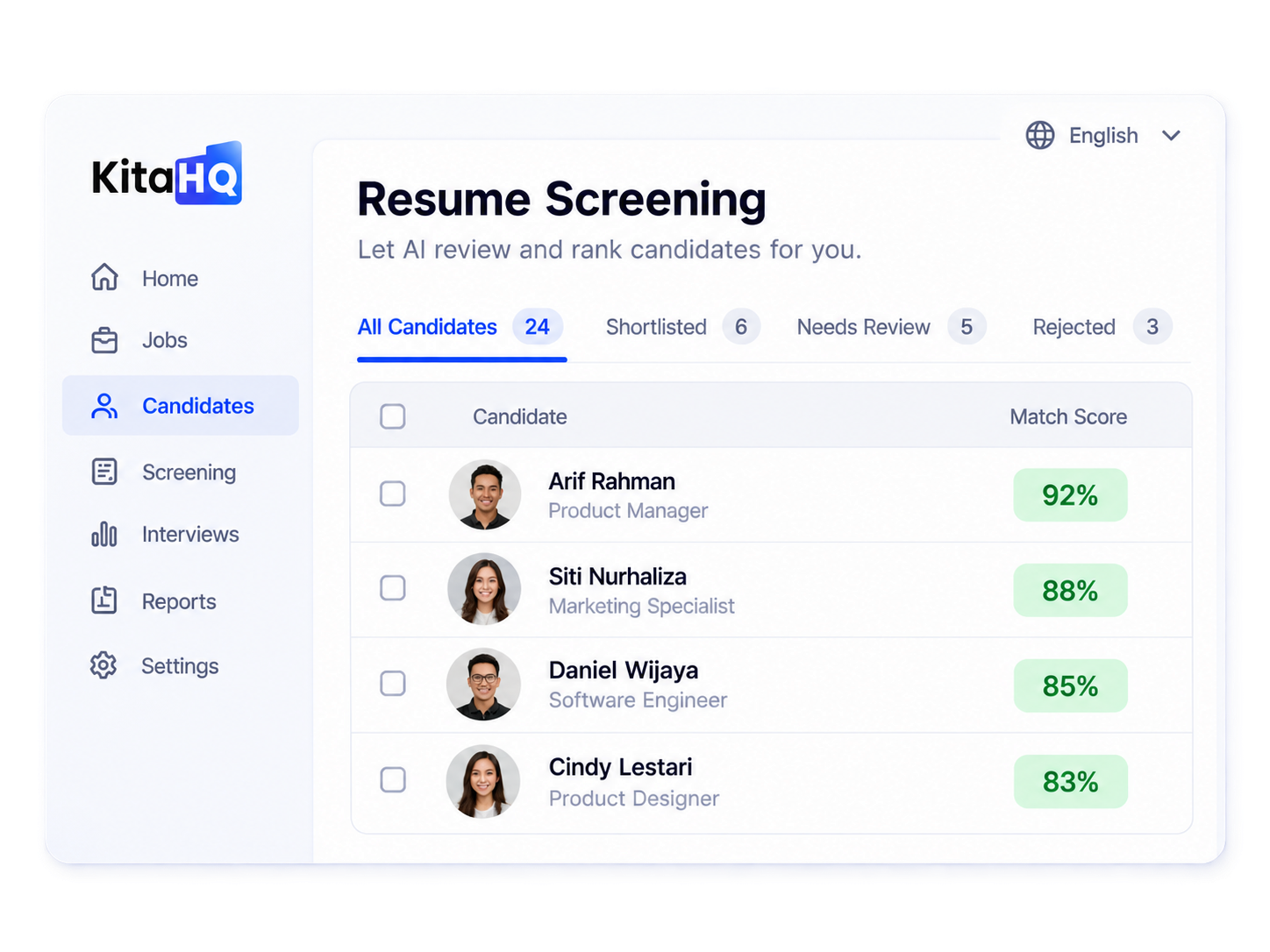
AI Resume Screening

Review CVs against your role's requirements to help your team prioritize candidates for further assessment.
ai resume screening KitaHQ
Explore AI Resume Screening

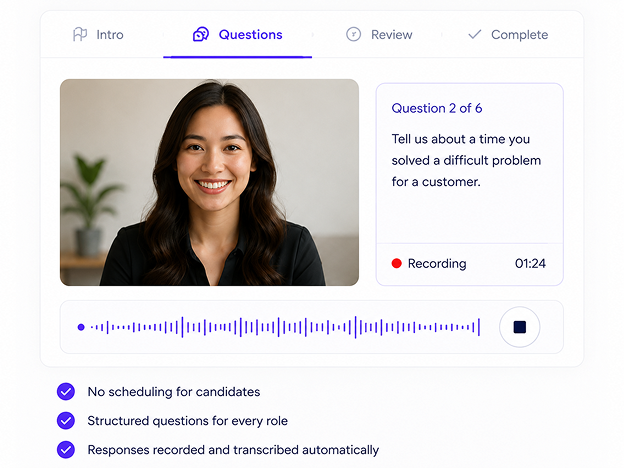
AI Video Interviews

Invite candidates directly from their profiles to a structured AI interview with real-time interactive questions.
AI video interview KitaHQ
Explore AI Video Interviews
Frequently Asked Questions
Want to see how it fits your team?
What is candidate management software?

Candidate management software helps recruitment teams organize candidate information, track hiring stages, manage communication, and coordinate reviews. KitaHQ brings these activities into one workspace for candidates in an active hiring process.

Do I need to create a job before importing candidates?

No. You can upload resumes, spreadsheets, or PDFs through Pipeline without first creating a job opening in Jobs. If you want to receive applications through a KitaHQ job link, create the position and configure its application requirements in Jobs.

Can I use KitaHQ with candidates from other job portals?

Yes. You can upload candidate files collected from job portals or other sources. This lets your team continue managing those candidates in KitaHQ after collecting their applications elsewhere.

Can candidates apply directly through KitaHQ?

Yes. Create a job and share its application link. Candidates can enter their details, answer the screening questions you set, and upload required documents through the application form.

How does HireOS compare with an applicant tracking system (ATS)?

HireOS includes ATS-like capabilities such as job application links, hiring pipelines, candidate records, and hiring manager reviews. Its focus is active candidate management, communication, and connected screening. When comparing it with an ATS, consider the specific workflows and capabilities your team needs.

Is HireOS a recruitment CRM?

HireOS focuses on candidates involved in your current hiring process. It helps your team manage their information, conversations, and progress. If you need a CRM for long-term talent nurturing or sourcing campaigns, discuss those requirements when evaluating HireOS.

Can hiring managers or clients review candidates without accessing the recruiter workspace?

Yes. You can share selected candidates through the Hiring Manager Portal. Reviewers receive access to the relevant candidate information and can propose interview times, add notes, and record decisions.

Does AI make hiring decisions automatically?

No. AI screening outputs support your team’s review. Recruiters remain responsible for hiring decisions, and HireOS does not automatically reject candidates. Routine invitations and reminders can follow workflows configured by your team.

Does KitaHQ also handle offers and onboarding?

Not yet. Offer and onboarding capabilities are currently in development. 

How does HireOS protect candidate information?

Candidate information is encrypted in transit and at rest, with role-based permissions and multi-factor authentication supporting access controls. Shared reviewer portals use email-based OTP verification. Candidate data is never used to train KitaHQ or third-party AI models. Explore Security → 

Drive Pipeline Velocity with Total Operational Clarity

Bring resumes, screening evidence, candidate conversations, and manager reviews together to reduce manual bottlenecks and keep the right candidates moving

GET STARTED WITH A DEMO