%20(1).png)
June 23, 2026
How to Screen CVs Faster Without Losing Good Candidates
Learn how to screen CVs faster with clearer criteria, staged review, role-specific shortlisting, and AI-supported resume screening.
.png)
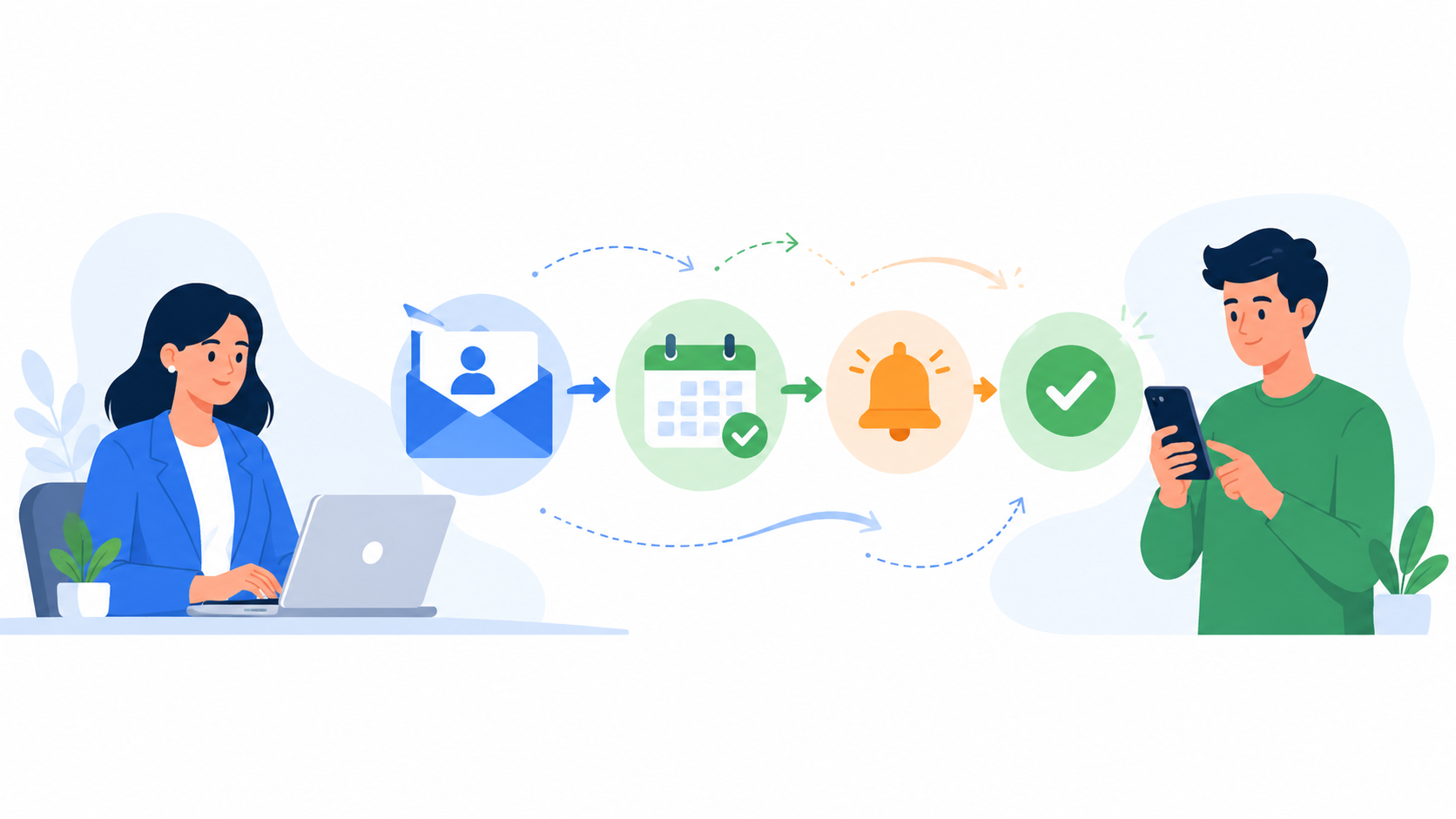
Interview invites are often treated as a small admin task. But in candidate screening, slow or unclear invites can create bigger problems: candidates miss the next step, recruiters lose time sending follow-ups, and hiring managers receive fewer completed interviews than expected.
This is one reason KitaHQ includes recruitment automation inside its early-stage screening workflow. Hiring teams can automatically invite qualified candidates to AI video interviews and send reminders when they have not started or completed the interview.
This helps reduce that manual back-and-forth. The key is not just sending messages faster. The key is deciding when candidates should be invited, what they need to understand, when reminders should be sent, and where recruiter review still belongs.
This article explains how to use automated interview invites and reminders in a candidate screening workflow without making the process feel confusing, impersonal, or overly automated.
Automated interview invites are messages sent to candidates once they meet a defined screening condition.
For example, a candidate may receive an interview invitation after passing CV screening, meeting role requirements, or being moved to the next stage by a recruiter.
In candidate screening, these invites usually direct candidates to complete a structured screening step, such as an AI video interview or first-round interview task. The invite replaces manual message sending, but it should not replace recruiter judgment.
The automation handles the repetitive communication step. Recruiters and hiring managers still decide which criteria matter, which candidates should be reviewed more carefully, and who should move forward in the hiring process.
Automated interview invites are most useful when the next step is clear and repeatable.
They work especially well when hiring teams screen many candidates for similar roles, such as sales, customer service, retail, operations, hospitality, campus hiring, or other roles with repeated first-round screening questions.
In these situations, recruiters often spend too much time sending the same invitation manually to every qualified candidate.
They also make sense when candidates can complete the interview on their own time. Instead of coordinating a live first-round call, the team can invite candidates to complete a structured interview within a set window.
This is useful when candidates are spread across locations, time zones, work shifts, or different availability patterns.
Automated invites are less suitable when the next step still needs personal explanation, recruiter persuasion, or senior stakeholder alignment. For example, executive hiring, highly sensitive roles, or complex niche roles may still need more direct recruiter communication before the interview stage.
See also: Recorded Interviews for Hiring: When They Work Best
A good automated interview invite should make the next step easy to understand. Candidates should not have to guess what the interview is for, how long it will take, or whether a real person will review their response.
At minimum, the invite should include:
The wording should be direct and human. Avoid making the message sound like a system notification with no context. Even if the invite is automated, the candidate should still feel that the hiring team has a clear process.
Here is a simple structure hiring teams can adapt:
“Hi [Candidate Name], thank you for applying for the [Role Name] position at [Company Name].
We would like to invite you to complete the next screening step: a short video interview. You can complete it on your own time before [Deadline]. The interview should take around [Estimated Time] and will help our team understand your experience, communication, and role fit.
After you submit your responses, our hiring team will review them and contact shortlisted candidates about the next step.
Start your interview here: [Interview Link]”
This kind of invite works because it answers the candidate’s main questions quickly. It explains what the interview is, why it matters, how long it takes, when it is due, and what happens next.
Automated interview invites and reminders work best when the workflow is clear before messages are sent. Recruiters should define what triggers the invite, when reminders should be sent, what the candidate needs to know, and where human review still happens.
Reminders are useful when candidates have not started or completed the screening step. But they can become annoying if they are too frequent, too vague, or too aggressive. The purpose of a reminder is to help candidates complete the next step, not to pressure them.
A simple workflow can look like this:
The reminder should not introduce important information that was missing from the original invite. If candidates only understand the process after the reminder, the invite needs to be improved.
This keeps automation focused on repetitive follow-up. It does not remove the recruiter’s role in deciding what the screening criteria should be, how to handle exceptions, or who should move forward.
See also: Can Candidate Screening Software Improve Candidate Experience?
Automated interview invites and reminders are most useful when they are designed around a clear screening workflow. The goal is not to send more messages. The goal is to move qualified candidates to the next step faster, reduce manual follow-up, and give recruiters cleaner information to review.
This is where KitaHQ fits naturally into early-stage screening as a recruitment automation software. Hiring teams can automatically invite qualified candidates to AI video interviews, follow up with reminders when needed, and review candidate reports before deciding who should move forward.
When the invite is clear, the reminder timing is reasonable, and the recruiter review point is protected, automation can make candidate screening faster without making the process feel careless or fully automated.
.avif)
KitaHQ is an AI hiring software that helps teams screen faster, run AI video interviews, and evaluate candidates consistently.