.png)



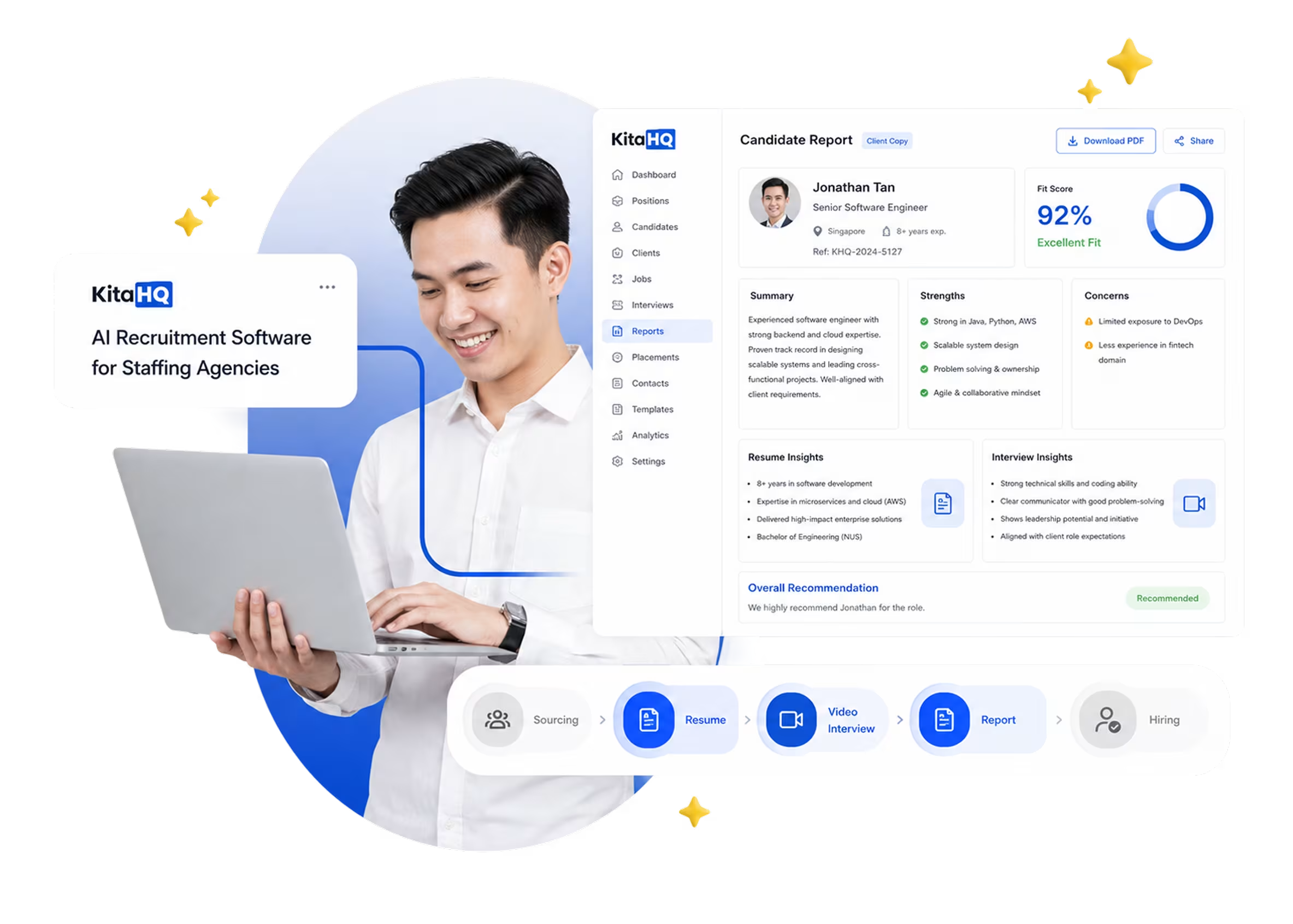


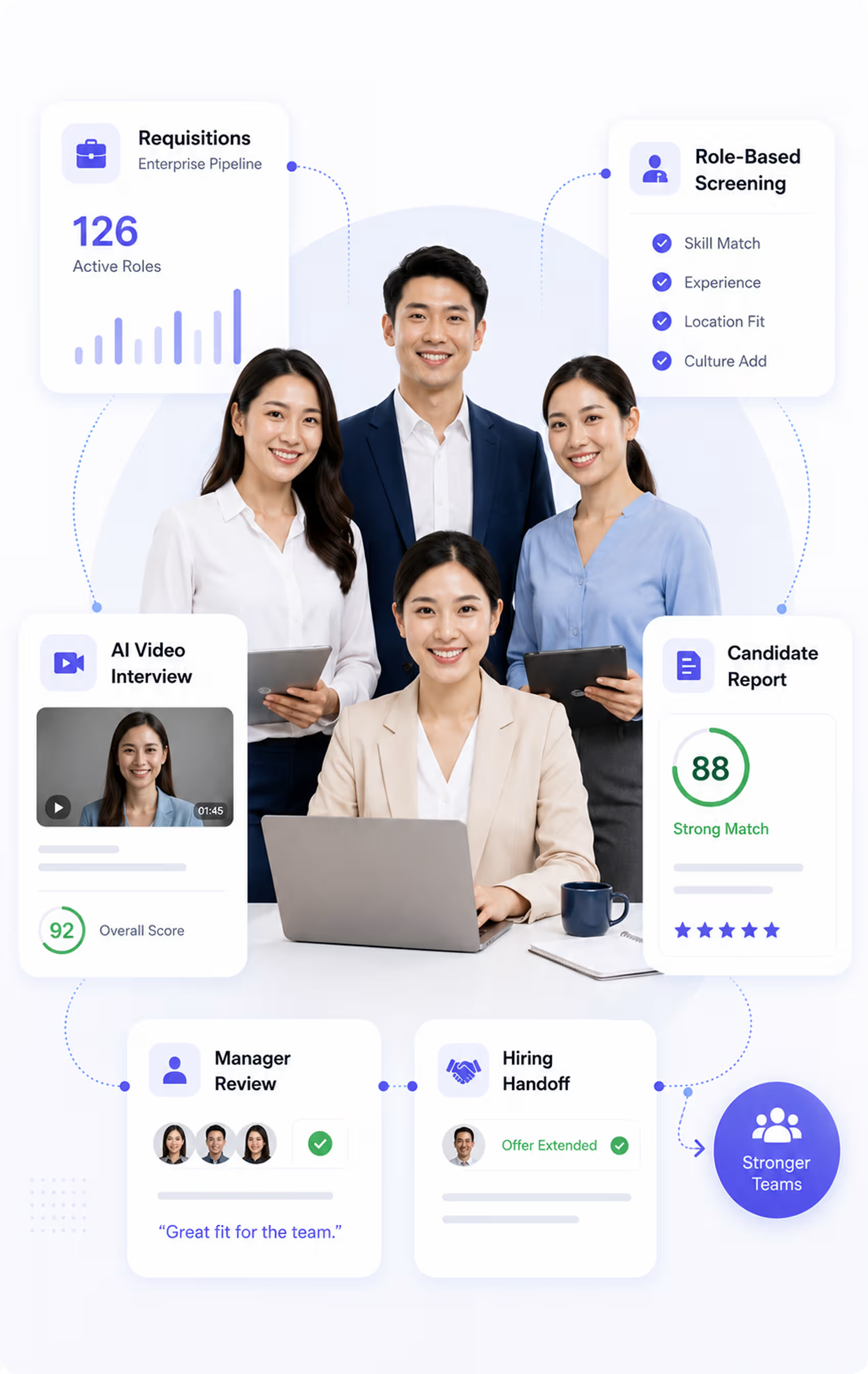




High churn and continuous backfill roles.
How Hiring Breaks for Staffing Agencies
Staffing recruitment gets harder when recruiters must move quickly, prove candidate
quality, and adapt screening criteria for each client.
quality, and adapt screening criteria for each client.
.svg)
Different Screening Criteria
Each client may define “qualified” differently, making consistent screening harder across multiple open roles.
.svg)
Speed-to-Submit Pressure
Recruiters must submit qualified candidates before another staffing vendor fills the role or candidates move elsewhere.
.svg)
Manual Screening Cuts Margin
Manual screening, follow-up, and reporting reduce recruiter capacity and make each placement more expensive.
.svg)
Hard to Prove Shortlist Quality
Clients need more than resumes. They need clear evidence behind every candidate submission.
KitaHQ Workflow for Staffing Recruitment Software
KitaHQ has an automation workflow that helps recruiters hire candidates for client companies faster.

1
Sourcing and Applications
Post job through job boards, referrals, career pages, or other applicant sources.

2
Early-Stage Screening
KitaHQ screens resumes, runs AI interviews, assesses candidate responses, and prepares clear reports for review.
.avif)

3
Manager Interviews and Selection
Hiring teams review shortlisted candidates and decide who should get hired.

4
Offer and Onboarding
Manage offers, contracts, employee records, and onboarding through your existing system.
AI Resume Screening for Staffing Candidate Screening
AI resume screening helps recruiters review high volumes of CVs faster, without having to screen every resume manually.
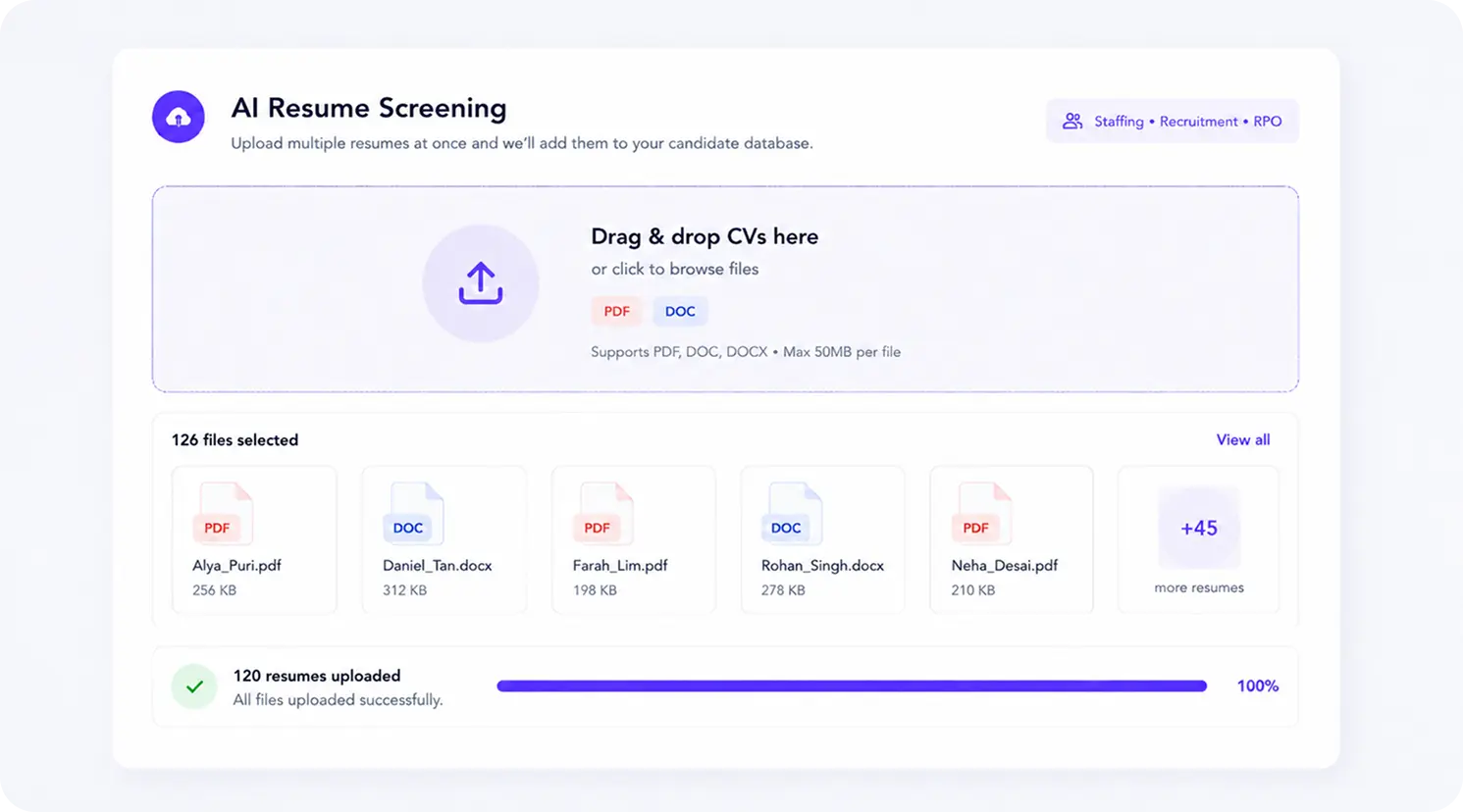
Screen More Candidates Faster
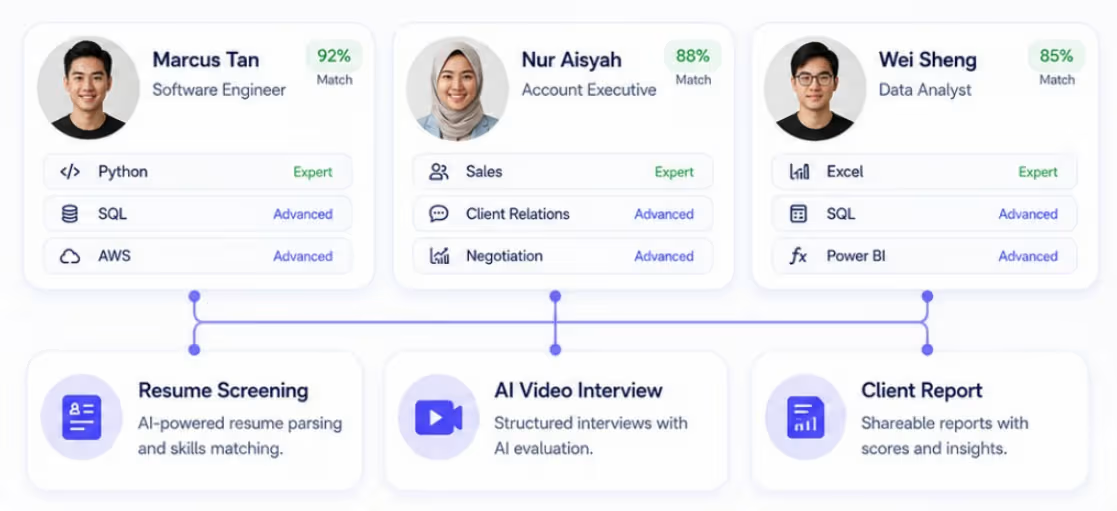
Upload candidate CVs in bulk and identify stronger matches faster, helping recruiters reduce manual screening work and move from applicant lists to client-ready shortlists.
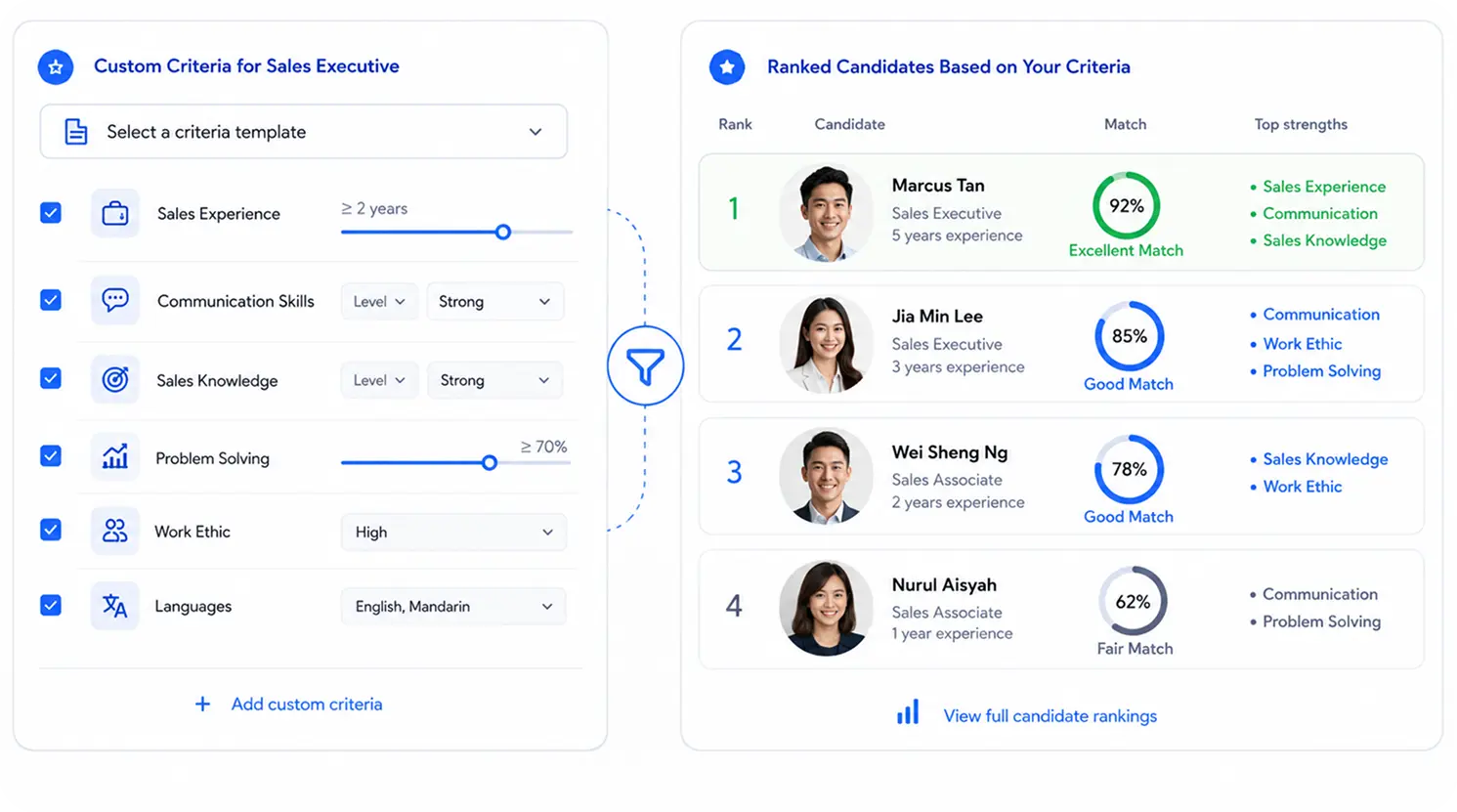
Match Each Client’s Criteria
Create screening criteria from each job description, so every role can be screened based on the client’s actual requirements, not a one-size-fits-all checklist.
AI-Driven Interview Software for Staffing Agencies
Our AI video interview software helps staffing agencies interview candidates faster, with structured questions and consistent evaluation criteria.

Self-Serve AI Interviews
Recruiters do not need to join every candidate interview, so they can run multiple interviews at scale with AI.

Ranked Candidate Shortlisting
Recruiters receive complete interview reports with candidate summaries, scores, and notes that can be reviewed internally or shared with clients.
What Staffing Recruitment Software Can Assess
Staffing recruitment software helps assess candidates by role criteria and client requirements.
Role Competency Fit
Assess whether the candidate shows the skills, knowledge, and task understanding needed for the role.
Client-Specific Criteria Match
Evaluate candidate responses against each client’s custom criteria, role expectations, and must-have requirements.
Problem-Solving Judgment
Review how candidates think through work situations, handle challenges, and make practical decisions.
Communication Quality
Assess how clearly candidates explain their experience, reasoning, and responses in an interview setting.
Work Discipline and Accuracy
Evaluate whether candidates show attention to detail, process awareness, and consistency in how they work.
Submission Readiness
Identify whether the candidate has enough evidence, clarity, and role fit to be submitted to the client.
Example Assessment Questions for Staffing Agencies
Use role-specific questions to understand how candidates think, communicate, qualify customers, handle objections, and follow up before manager interviews.

Role: Promoter
QUESTION
"A visitor walks past your booth without showing interest. How would you approach them and start a conversation without sounding too pushy?"

Transcript
REAL-TIME ANALYSIS
AI Interview:
12:45
"A visitor walks past your booth without showing interest. How would you approach them and start a conversation without sounding too pushy?"
Candidate
13:02
“I would first greet them politely and keep my tone friendly, not too aggressive.”
Candidate
13:05
"For example, I might say, “Hi, we’re sharing a quick product demo today. May I ask what kind of product you usually use for this need?”

SKILLS ASSESSED
Customer Approach
Persuasion
Professional Attitude
Product Knowledge

Bad signal
- Waits passively for visitors to approach first
- Sounds too aggressive when starting a conversation
- Cannot explain how they would handle rejection

Good signal
- Asks simple questions to understand visitor needs
- Explains the campaign clearly and confidently
- Stays professional even when visitors are not interested

Role: Telecaller
QUESTION
“A customer says they are busy and wants to end the call quickly. What would you say to keep the conversation professional and still achieve the call objective?”
Transcript
REAL-TIME ANALYSIS
AI Interview:
12:45
“A customer says they are busy and wants to end the call quickly. What would you say to keep the conversation professional and still achieve the call objective?”
Candidate
13:02
“I would first acknowledge the customer’s situation so they do not feel pressured.”
Candidate
13:05
“I would also record the follow-up time clearly so the next contact is more organized.”
SKILLS ASSESSED
Call Handling
Objection Handling
Communication Clarity
Bad signal
- Pushes the customer to continue without acknowledging their situation
- Gives a scripted response without adapting to the customer
- Cannot explain the call objective clearly
Good signal
- Acknowledges the customer’s time politely
- Explains the purpose of the call clearly and briefly
- Offers a better time to continue the conversation
Candidate Reports Staffing Teams Can Send to Clients
Give clients clearer candidate context with structured reports that summarize interview results, fit signals, and supporting evidence.

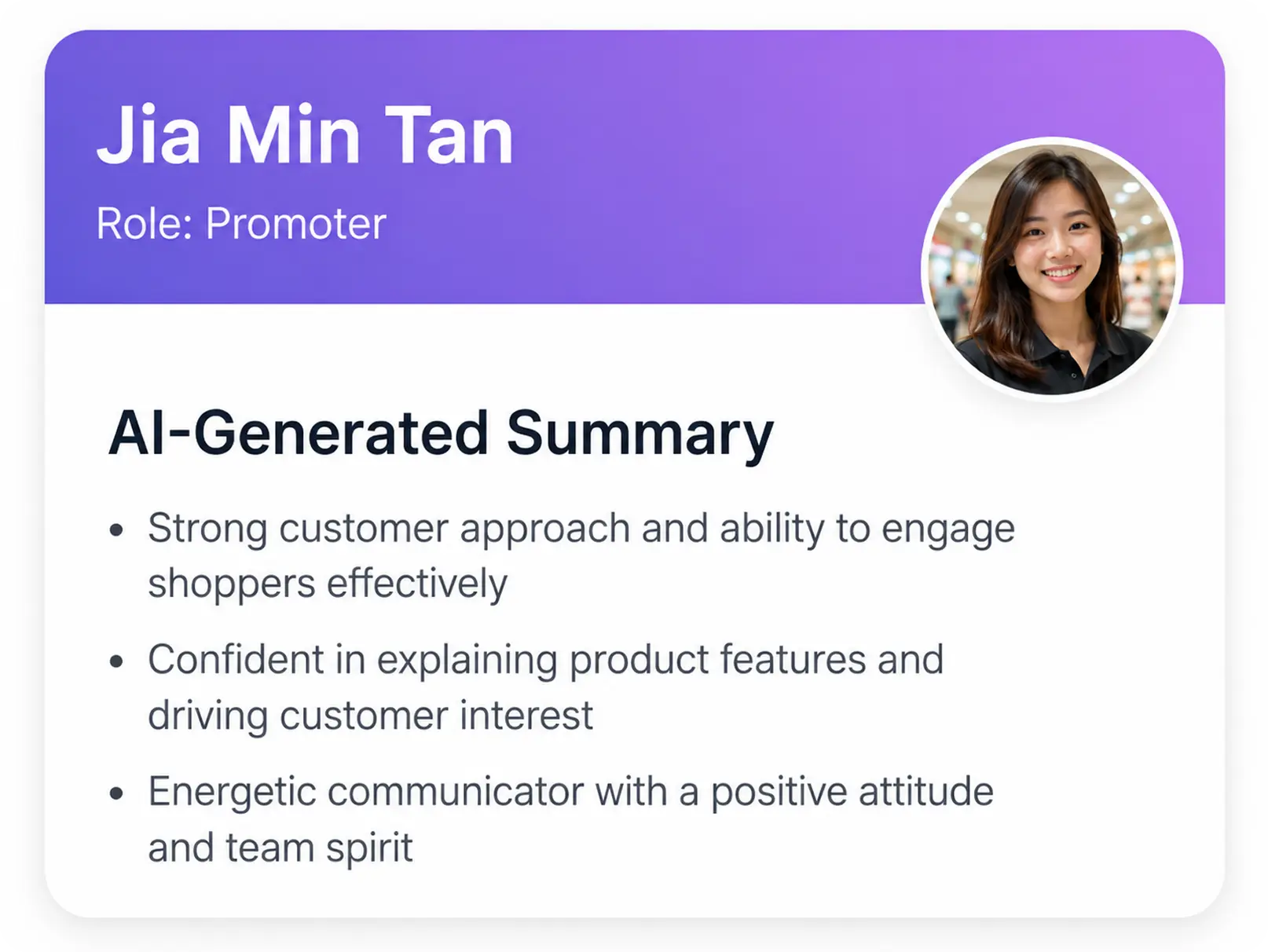
Screening Summary

Get concise candidate summaries that highlight role fit, relevant experience, key strengths, and concerns before recruiter or client review.

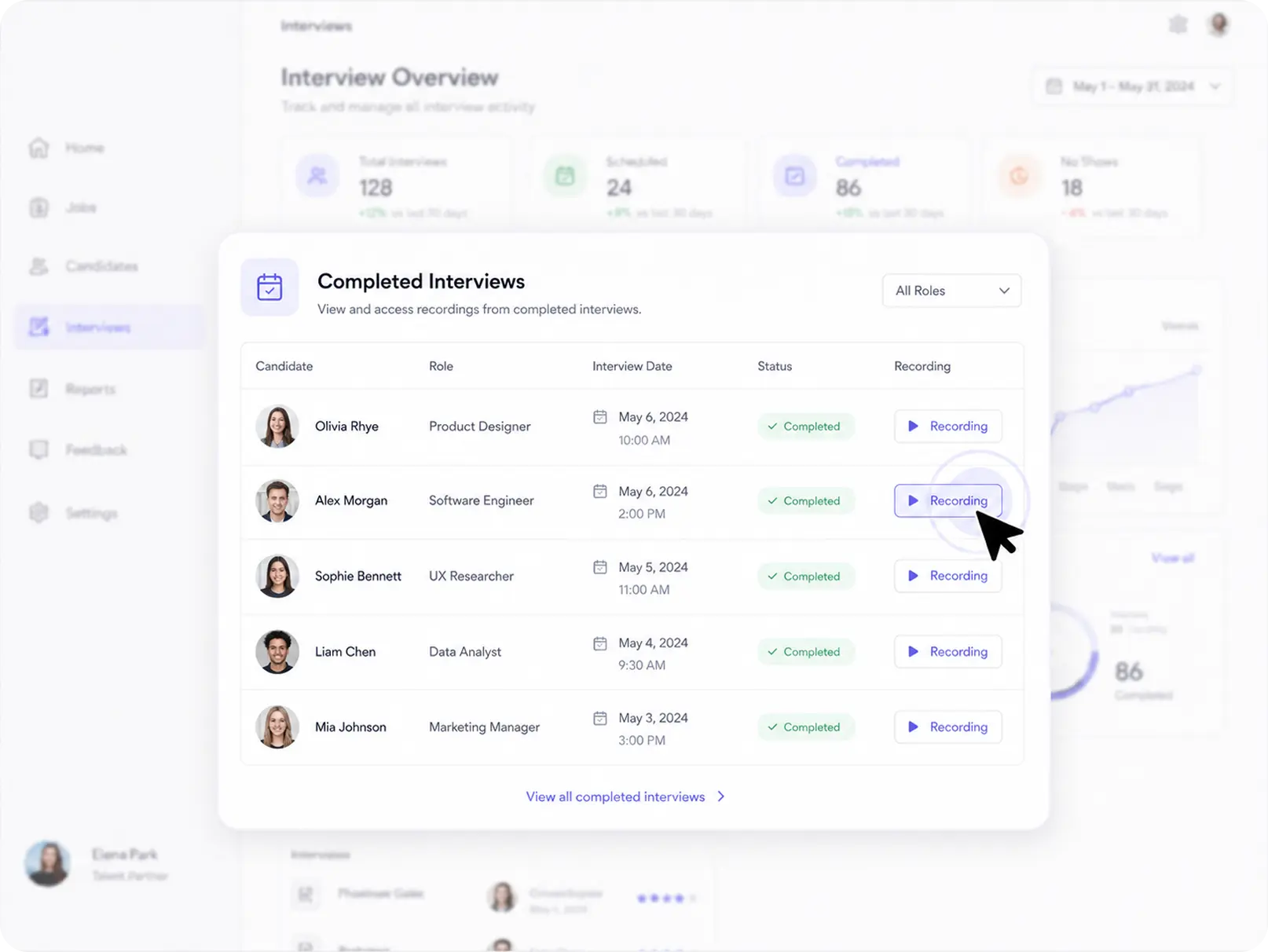
Transcript and Recording
Access full interview transcripts and recordings so teams can review candidate answers with clearer evidence.

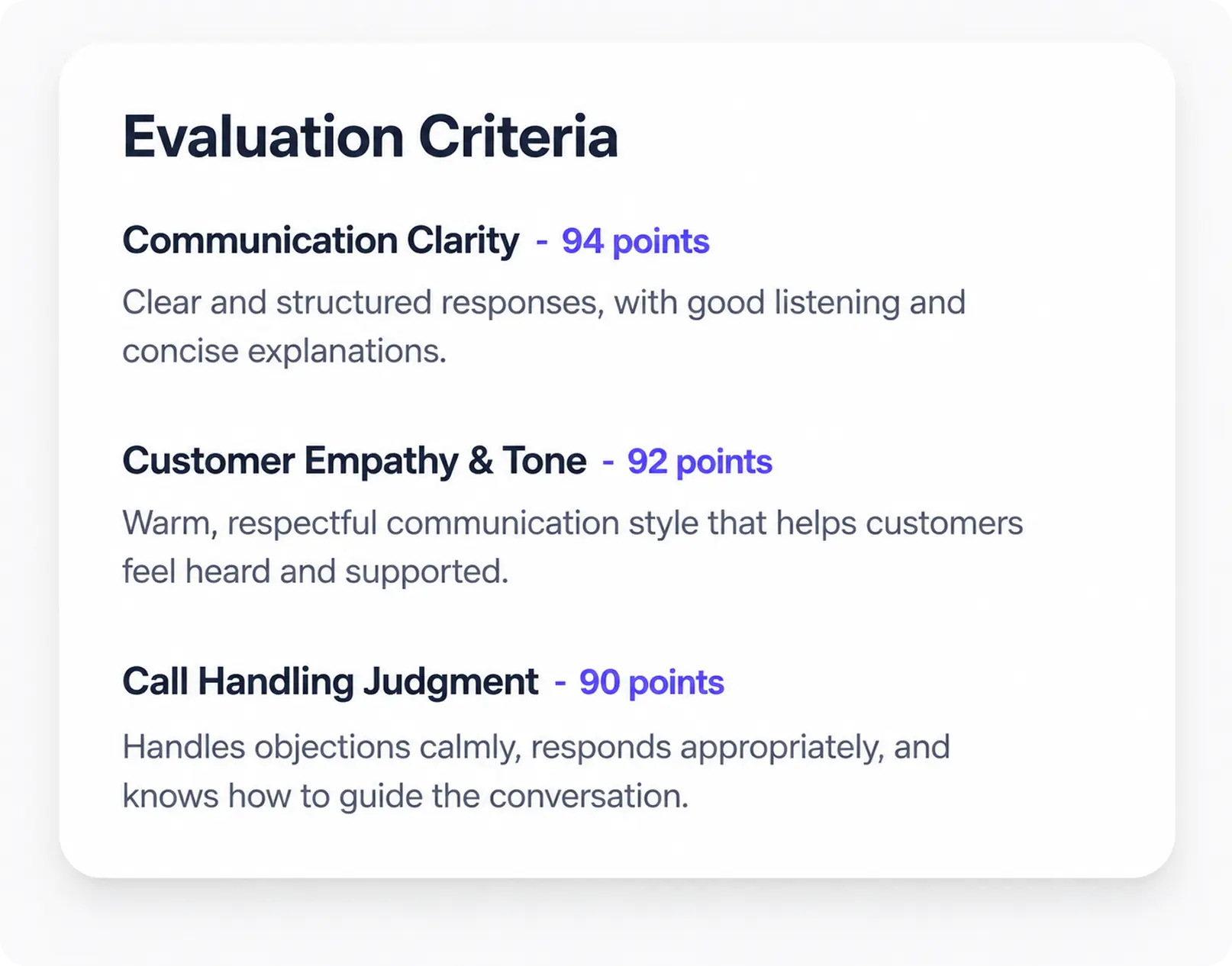
Candidate Fit Signal
See candidate fit signals based on interview responses, screening criteria, communication quality, and role requirements.

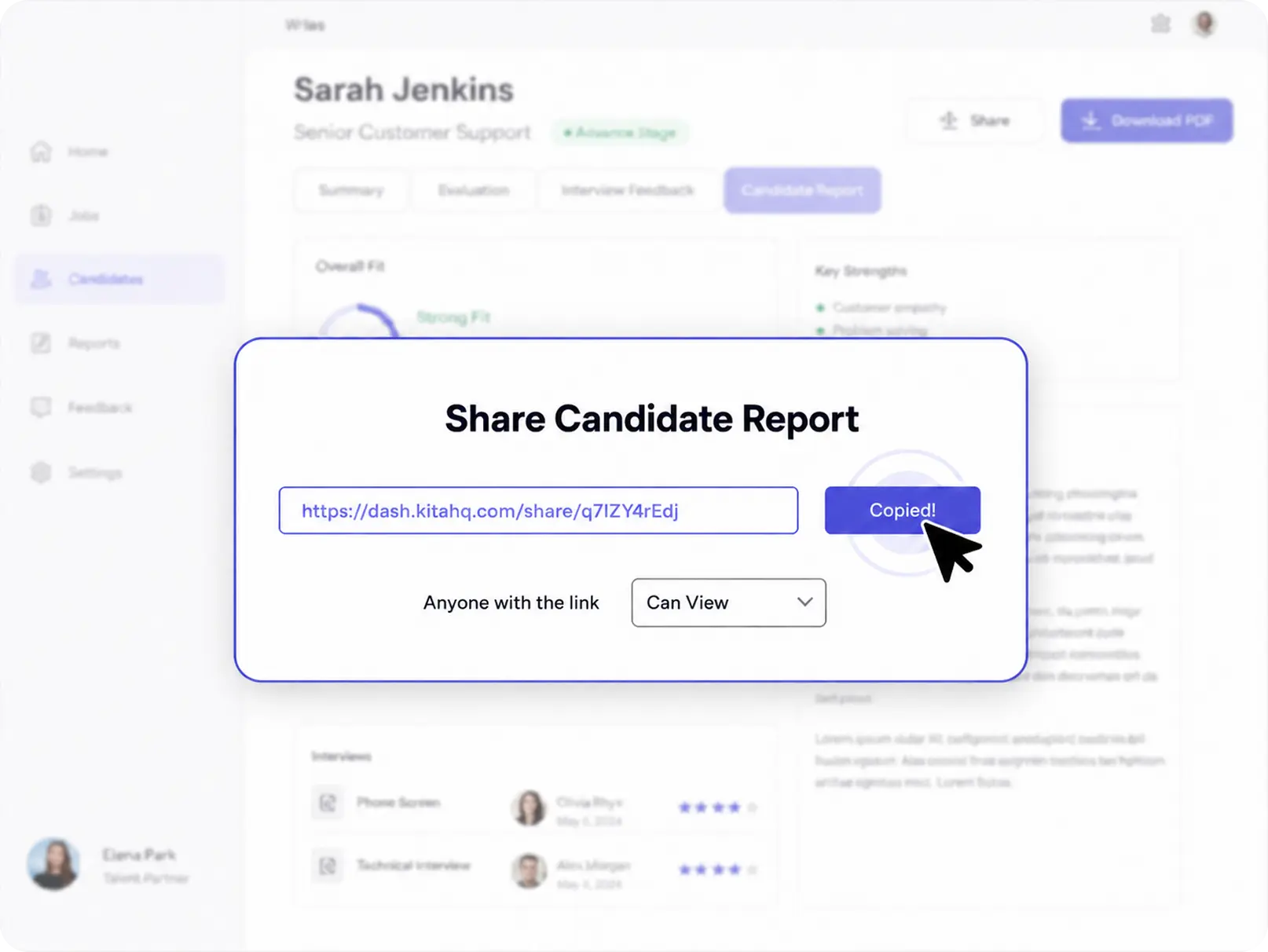
Shareable Report
Create one-click shareable reports for clients and hiring stakeholders, so every submission includes clear context and supporting evidence.
Built for Different Recruitment Teams
One platform for staffing agencies, recruitment agencies, and RPO teams to screen candidates
faster, standardize evaluation, and deliver stronger client-ready shortlists.
faster, standardize evaluation, and deliver stronger client-ready shortlists.
Staffing Agencies
For staffing teams that need to move faster from candidate screening to client submission without increasing manual recruiter workload.
 Faster candidate screening
- AI interviews at scale
- Client-ready reports
Recruitment Agencies
For recruitment agencies that need stronger candidate evaluation, clearer shortlist evidence, and more structured reports before sending profiles to clients.
- Client-specific criteria
- Candidate scoring reports
- Shareable shortlist evidence
RPO Teams
For RPO teams that need consistent screening workflows, standardized candidate evaluation, and structured reporting across multiple clients or hiring programs.
- Repeatable screening workflows
- Multi-client criteria
- Stakeholder-ready reports

Also supports Recruitment Agencies and RPO Teams with scalable screening workflows and structured candidate reports.
Features That Make Screening Easier for Staffing Agencies
KitaHQ helps staffing teams reduce repetitive screening work while keeping recruiters and hiring managers in control of who moves forward.

Custom Assessment by Role
Create or adjust assessment questions based on each role’s requirements, client criteria, and definition of a qualified candidate.

Simultaneous Interviews
Let candidates complete AI video interviews on their own time, so recruiters can screen more candidates without joining every first-round call.

Bulk Interview Invites
Send interview invitations to many candidates at once through WhatsApp and email without messaging each candidate manually.

Web-Based Interviews
Let candidates open AI video interviews from a web link on desktop or mobile, without needing to schedule a live call with recruiters.
Where KitaHQ Fits in Your Hiring Workflow
AI recruitment tools for sales improve high-volume efficiency and keep experts focused on critical decisions.
Fit Cases to Use KitaHQ

High-volume roles hiring the same role repeatedly.
Multi-branch agencies needing consistent first-round screening.
Fast shortlists for client submission, without
re-screening.
Where Humans Are Still Required
- Client intake and role calibration.
- Background, sanctions, and fraud checks.
- License or certification verification, sanctions and fraud checks, employment validation.
- Final hiring decisions and offer negotiation.

How SMS Reduced Screening Time and Delivered Stronger Shortlists Faster

Maulia Nur Rokhmah
HR Officer


Frequently Asked Questions
Understanding Staffing Recruitment Software
Do we need to replace our ATS or recruitment CRM to use this?
No. Use KitaHQ for first-round qualification and structured outputs, while your ATS or CRM remains the system of record. Your team continues submitting candidates through your existing workflow.
What roles does this workflow fit best for in staffing and RPO?
High-volume, repeatable roles where first-round screening is the bottleneck, such as telecaller, telesales, collections, promoter, event staff, admin, and operations support. It is also a fit for continuous backfill or campaign hiring where consistency matters across recruiters and locations.
Does this automate candidate submittals to clients?
It prepares the client-ready content that normally slows recruiters down, summaries, transcripts, recordings, and follow-up prompts. Your team still decides who advances and submits through your ATS, VMS, or email, based on your client process.
What still needs humans in the process?
Client intake and role calibration, shortlist decisions, and final hiring decisions stay with your team. Background checks, reference checks, employment validation, and any required verification steps also remain human-led or system-led outside KitaHQ.
How do clients and hiring managers use the output without re-screening?
They review a consistent first-round summary, transcript, and recording, then use the follow-up prompts to probe only the unclear areas. This keeps the client interview focused on role depth and final fit rather than repeating availability, pay, and basic experience.
What is the most common failure case, and how do we prevent it?
The most common failure is candidates giving generic, scripted answers that look good on the surface. Control this by using scenario-based questions, requiring specific examples, and adding one consistency check later in the interview.
How should we handle borderline candidates before submitting to a client?
Use a simple decision rule: submit only when availability, pay alignment, and role-critical requirements are confirmed. If one of those is unclear, run a short clarification call or request a follow-up answer before the client sees the profile.
Can this be used for regulated or licensed roles placed through staffing or RPO?
Yes for early-stage screening and structured evaluation, including technical and judgment questions. Verification remains outside KitaHQ, including license and certification checks, sanctions and fraud checks, employment validation, and final hiring decisions.
Is this an RPO service?
No. KitaHQ is software used by staffing agencies and RPO teams to run structured first-round qualification. Program ownership, stakeholder management, and end-to-end outsourcing remain outside scope.