%20(1).png)

August 6, 2026
Ecommerce Hiring Process: A Practical Guide to Building a Team That Can Scale
Build a stronger ecommerce hiring process with eight practical steps for defining roles, screening candidates, running interviews, and scaling responsibly.
.avif)
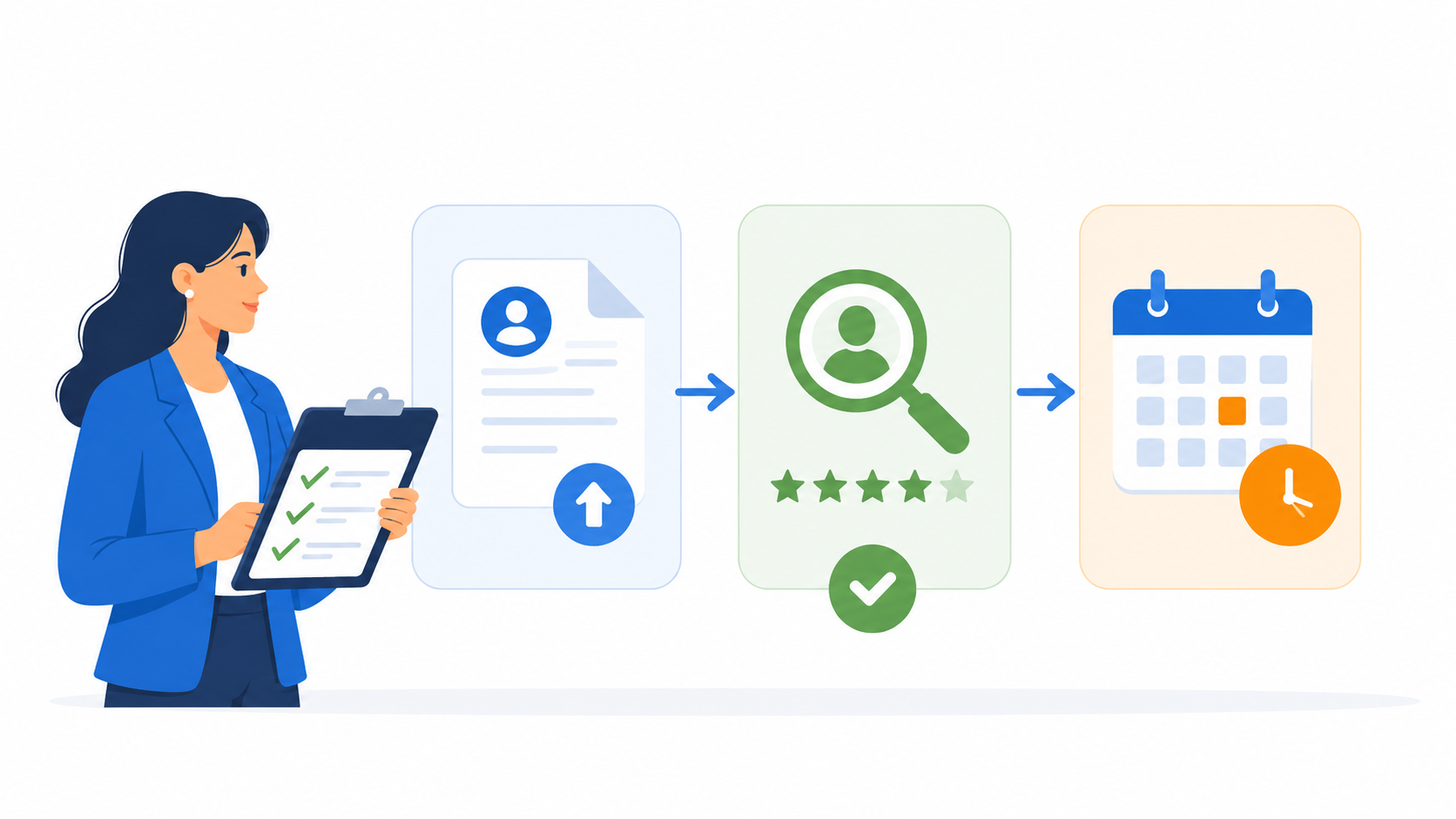
Recruitment automation can save recruiters time, but only when it is applied to the right parts of the hiring process.
The mistake many teams make is treating automation as a way to remove humans from hiring. In practice, recruitment automation works best when it reduces repetitive admin, improves screening consistency, and helps recruiters review candidates with better context.
This article explains what recruitment automation means, which hiring steps are worth automating, and which steps should still stay under human review.
Recruitment automation is the use of software to streamline repetitive hiring tasks and help candidates move through the recruitment process with less manual work.
In practical terms, this can include resume screening, CV screening, candidate shortlisting, interview invitations, reminders, structured screening interviews, candidate reports, and hiring manager handoffs.
The goal is not to make hiring fully automatic. The goal is to reduce the repetitive work that slows recruiters down, while giving hiring teams clearer information before they decide who should move forward.
Recruitment automation matters because many hiring delays are not caused by difficult decisions. They are caused by repetitive manual steps.
Recruiters may need to review too many CVs, send the same interview invitations, follow up with candidates who have not responded, schedule repeated screening calls, write interview notes manually, and update hiring managers across different tools.
These tasks are important, but they are not always the best use of recruiter time.
Good recruitment automation should fix three workflow problems.
See also: AI Candidate Screening Software vs Manual Screening: Which Creates Better Shortlists?
Not every hiring step should be automated in the same way. Some steps can be automated directly. Some should be supported by automation but still reviewed by recruiters. Others should remain human-led.
The safest tasks to automate are repetitive, high-volume, and rule-based.
This includes interview invitations, candidate reminders, re-invites, rejection messages using approved templates, workflow movement, and candidate report generation.
These steps usually do not require deep judgment every time. Once the recruiter sets the criteria and communication rules, software can handle the repetition.
Some hiring steps should be supported by automation, not fully handed over to automation.
For example, AI resume screening can help recruiters review CVs faster. AI video interviews can help candidates answer structured questions without live scheduling. AI interview assessment can help hiring teams review candidate responses against standard or custom criteria.
Some hiring steps should stay human-led.
Final hiring decisions, sensitive candidate conversations, salary negotiation, exception handling, and verification-related checks should not be treated as automated workflow tasks.
This does not mean automation has no role. It can prepare information, organize reports, and reduce admin. But accountability should stay with the hiring team.
See also: Do We Need AI Recruitment Software? How to Know If It Is Worth It
Recruitment automation can make hiring faster, but it can also create new problems if teams automate unclear criteria, poor communication, or decisions that still need human judgment.
Before adding more automation into the hiring process, recruiters should be clear about what the tool should support, what humans still need to review, and where automation can create risk instead of efficiency.
Automation will not fix unclear screening criteria.
If recruiters and hiring managers have not agreed on what matters for the role, automation may only move candidates through an unclear process faster.
Before automating, define what “qualified” means. Clarify the required skills, experience, availability, communication ability, role-specific knowledge, or job-readiness signals that should be reviewed.
Recruitment automation is not always the same as an applicant tracking system.
An ATS usually manages broader recruitment administration such as job postings, applications, pipeline tracking, offers, and onboarding. Recruitment automation may focus more specifically on screening workflows, candidate communication, interview completion, report generation, and hiring manager handoffs.
For many teams, recruitment automation works alongside an ATS rather than replacing it.
Automated messages can improve speed, but they still need to feel clear and respectful.
Candidates should understand what step they are in, what action is needed, and what happens next. If every message feels robotic, vague, or poorly timed, automation can hurt candidate experience instead of improving it.
Scores can help recruiters compare candidates faster, but they should not become the only basis for action.
A strong workflow gives recruiters enough context to understand why a candidate looks strong, where there may be concerns, and whether the candidate should move forward.
Scores, summaries, transcripts, recordings, and reports should support recruiter review. They should not replace it.
Recruitment automation should support hiring decisions, not make them. Hiring teams should keep human review before deciding who moves forward, who gets rejected, and who gets hired.
See also: How to Automate the Recruitment Process: A Practical Guide
KitaHQ is an AI-powered candidate screening software that helps hiring teams automate repetitive early-stage screening steps, such as reviewing CVs, inviting qualified candidates to interviews, sending reminders, and generating candidate reports for recruiter or hiring manager review.
This is especially useful for teams handling high-volume or repeatable hiring. PT Sejahtera Mitra Solusi is one example. The company used KitaHQ to support high-volume recruitment and reported 2x recruiter productivity and 50% faster time-to-hire.
PT Sejahtera Mitra Solusi also reduced daily screening time from 2 hours to 30 minutes after adopting automated screening steps with KitaHQ.
Recruitment automation works best when it starts from a real hiring bottleneck.
For some teams, that bottleneck is CV review. For others, it is candidate follow-up, screening interviews, report writing, or hiring manager handoff.
The best recruitment automation workflow is not the one that automates the most steps. It is the one that removes repetitive work, keeps candidates moving, gives hiring teams better context, and preserves human judgment where it matters most.
If your teams want to reduce manual screening work without losing human review, KitaHQ helps turn early-stage hiring bottlenecks into a more structured and automated screening process. Explore how KitaHQ can support your recruitment automation workflow before your next high-volume hiring cycle.
Industry: Banking
KitaHQ is an AI hiring software that helps teams screen faster, run AI video interviews, and evaluate candidates consistently.