RECRUITMENT WORKFLOW AUTOMATION

Recruitment Automation Software That Eliminates the Busywork

Spend less time on repetitive hiring tasks, from candidate outreach and interview scheduling to offer preparation. Keep your recruitment workflows moving while your team stays in control.

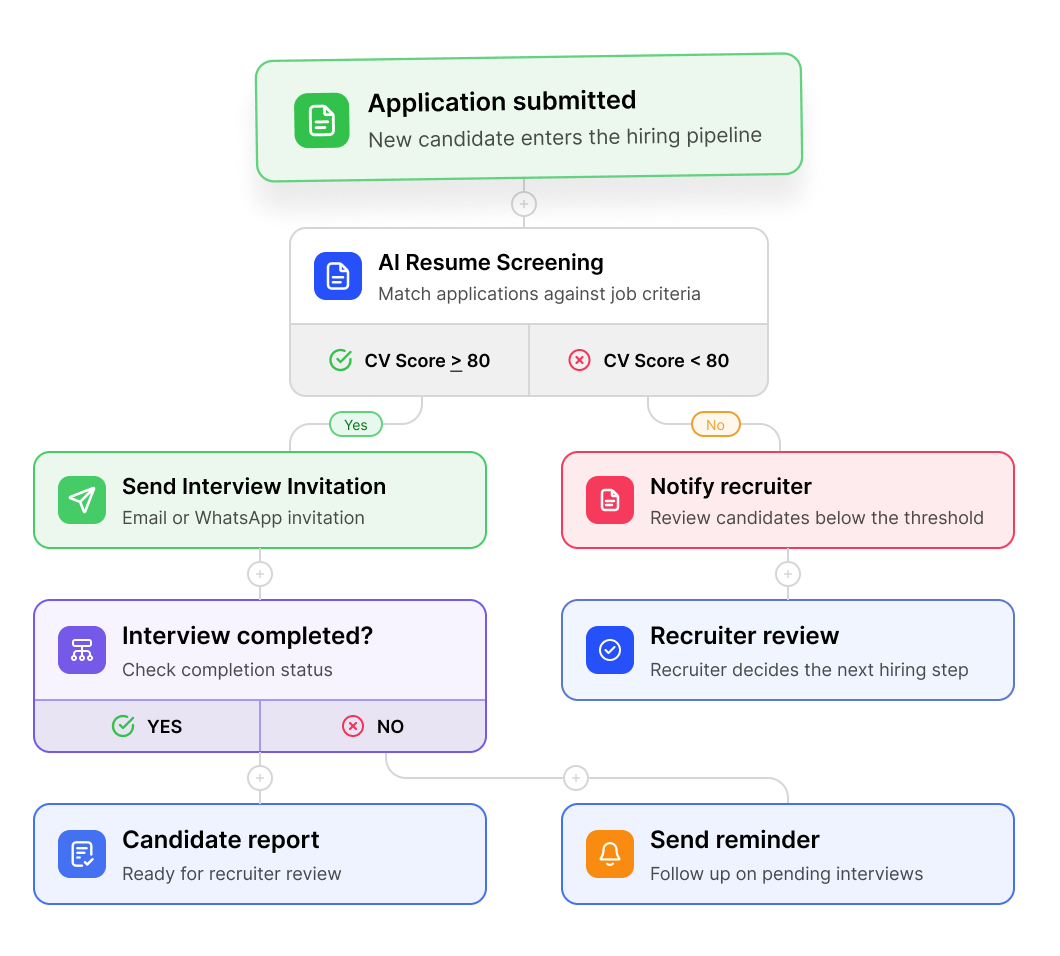
Recruitment automation workflow for AI resume screening, interview invites, reminders, and candidate reports.

Trusted by 500+ companies

Recruitment Workflows You Can Automate

Choose what happens next at each hiring step. From candidate outreach to interview scheduling and offers, repetitive tasks become easier to manage.
01
Outreach
WHEN
A candidate is ready for outreach.
THEN
A personalized email, SMS, and WhatsApp sequence is prepared for review, with follow-ups scheduled at your chosen intervals.
02
Application Review
WHEN
A new application is ready for review.
THEN
CVs and screening answers are evaluated against job criteria for recruiter review.
Interview Invitation
03
WHEN
A candidate's CV review score meets your criteria.
THEN
An AI interview invitation is sent by WhatsApp, email, or both.
Reminders
04
WHEN
Candidate has not completed AI interview.
THEN
Send a reminder, and escalate an alert to the recruiter if they still haven't responded.
Manager Interview
05
WHEN
A candidate is shortlisted for a hiring manager interview.
THEN
Interview slots can be offered for candidate booking, with automatic or recruiter-approved confirmation.
06
Offer
WHEN
A candidate is ready to receive an offer.
THEN
An offer letter is prepared for recruiter review, with final details confirmed before sending.

Easy to Set Up. Flexible to Fit Your Team.

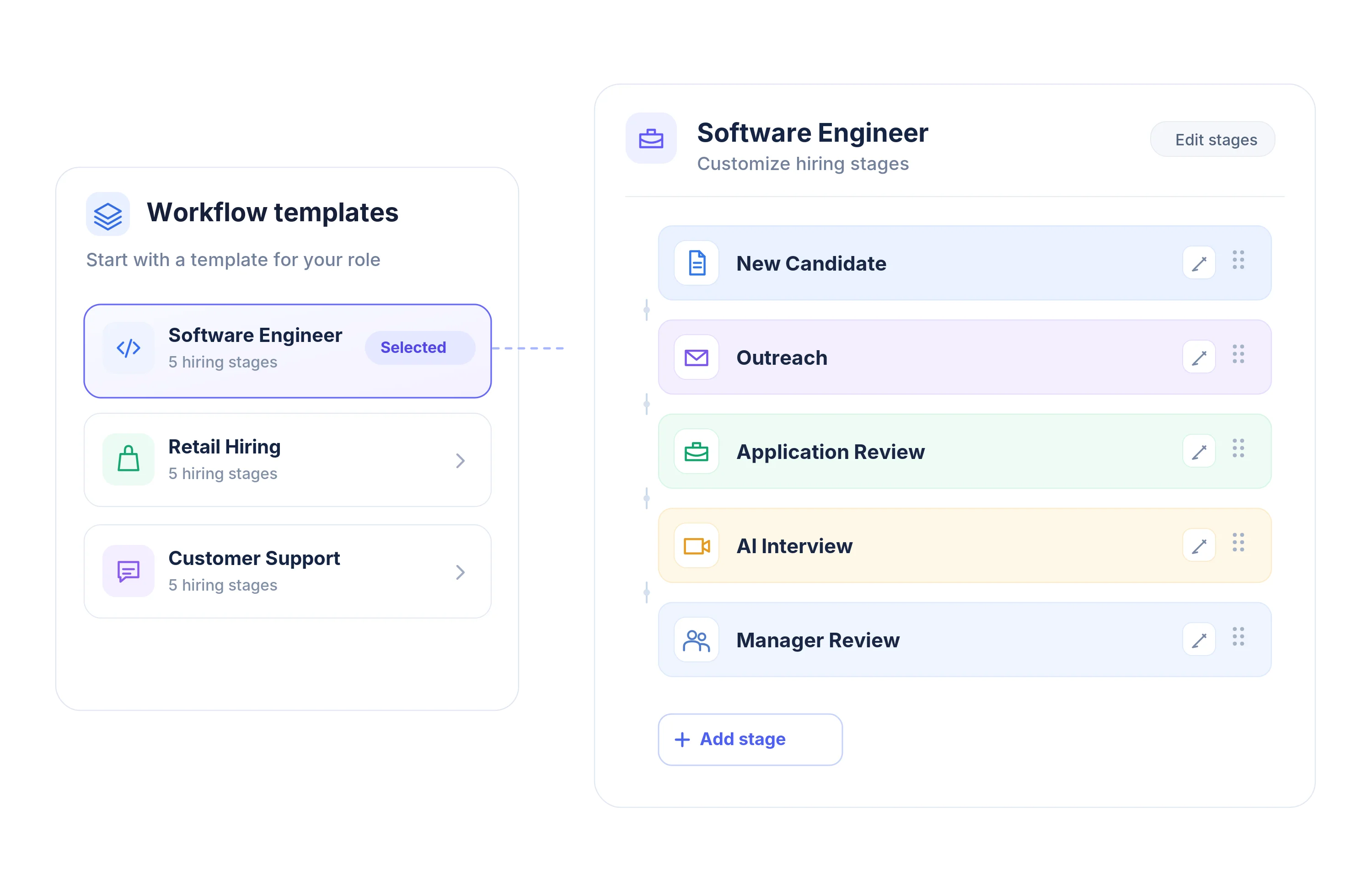
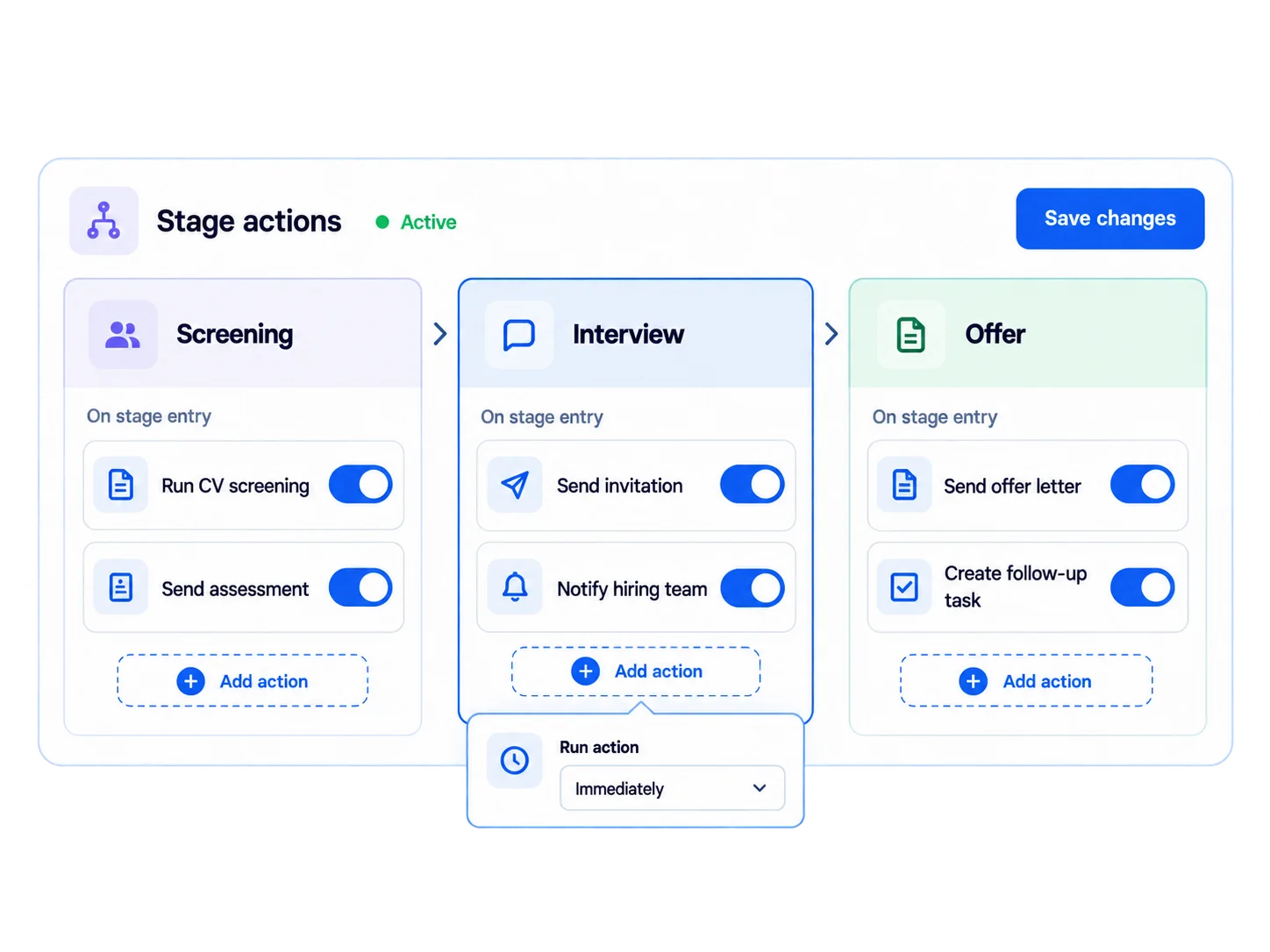
Spend less time figuring out the tools and more time putting your hiring process to work. Keep things flexible as your team's needs change.

Where Automation Stops,
‍Your Team Takes Over.

Automation should move hiring forward, not take it out of your hands. KitaHQ handles repetitive work so your team can focus on what requires human judgment, context, and accountabillity.
SCREENING REVIEW
Rejection Decisions
Assessment scores support review, but recruiters remain responsible for evaluating evidence before rejecting candidates.
FINAL SELECTION
The Final Hiring Call
Use candidate reports to inform decisions. Your hiring team determines who gets the role.
OFFER APPROVAL
Offers Stay With Your Team
Prepare offer documents in HireOS while recruiters review the details, finalize terms, and manage negotiations.
CLIENT ACCESS
Control What Clients See
Choose which hiring stages are visible to clients and when they can access candidate progress.

KITAHQ PLATFORM

More Than Automation. More Ways to Hire.

Explore KitaHQ tools for candidate management, screening, AI interviews, and communication.
Candidate Management
Organize candidate profiles, hiring stages, and team reviews.
Candidate Screening
Evaluate applicants and review structured candidate evidence.
Candidate Communication
Manage candidate messages and follow-ups across supported channels.
AI Video Interview
Run structured AI interviews and review candidate reports.
Frequently Asked Questions
Want to see how it fits your team?
Can I customize recruitment workflows for different job openings?

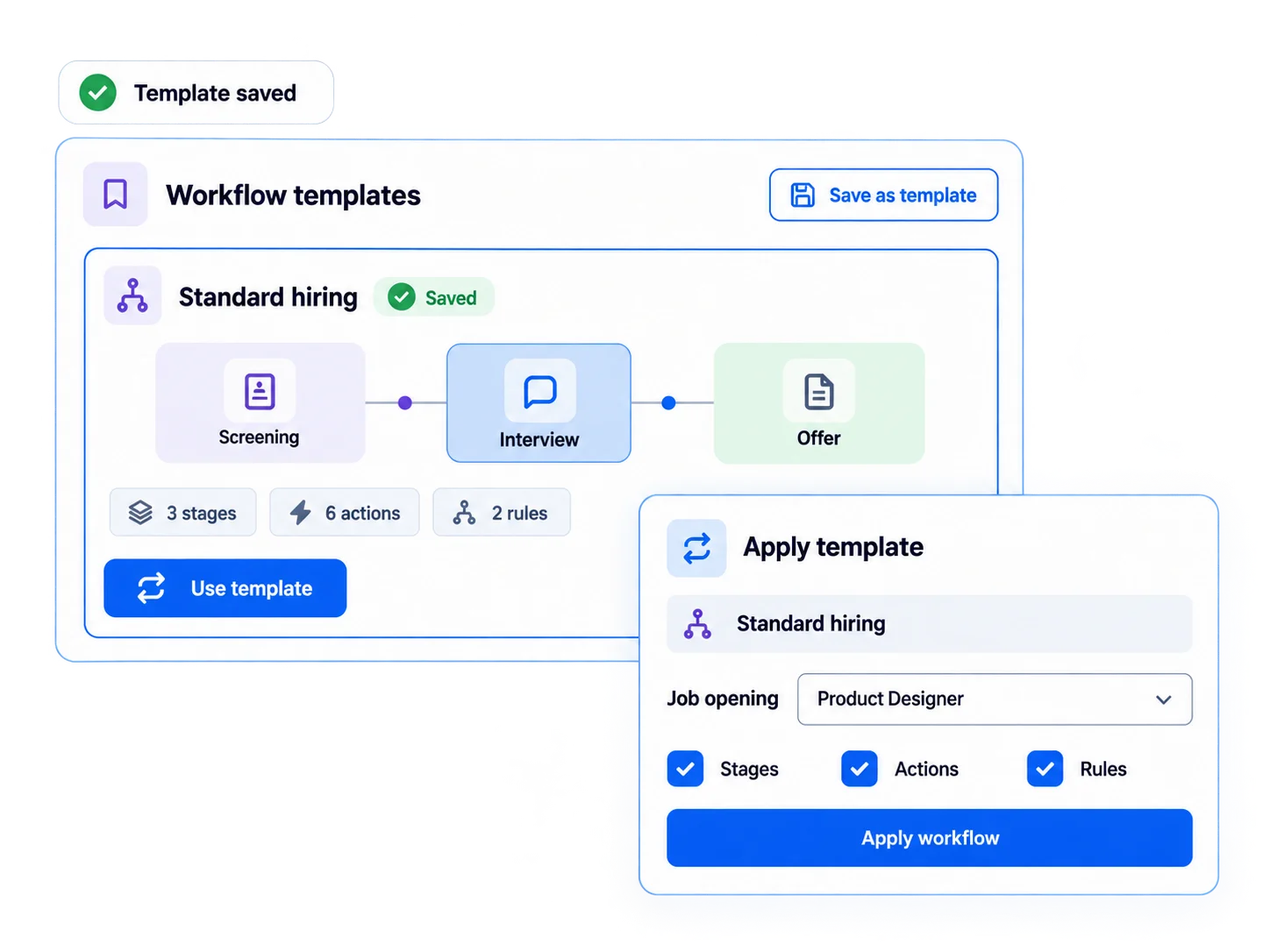
Yes. KitaHQ lets you create job-specific hiring workflows with different stages, actions, and approval settings. You can also save workflows as templates and reuse them across similar roles, without rebuilding the process every time.

Which recruitment tasks can run automatically without manual intervention?

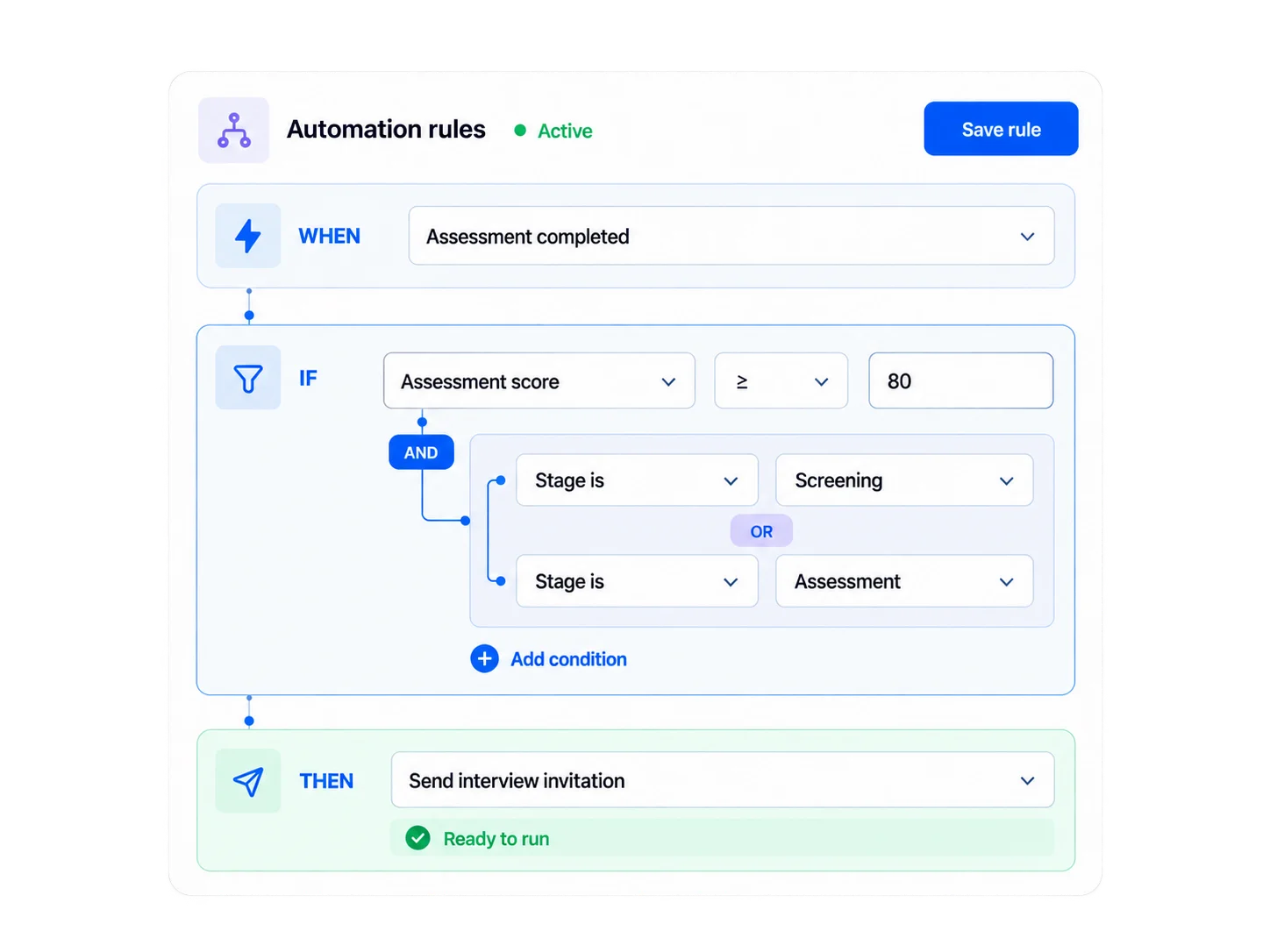
KitaHQ can automatically perform tasks based on configured triggers and conditions, such as sending score-based interview invitations, post-interview emails, and updating application statuses. Actions requiring recruiter judgment or approval remain under your team's control, including moving candidates between hiring stages.

Can an automation rule check more than one condition?

Yes. You can combine supported conditions using AND/OR logic. Use AND when all conditions must be met, or OR when meeting any one of the configured conditions is sufficient to trigger the action.

Does updating an application status move the candidate to another hiring stage?

No. An application status update changes the status field targeted by the rule. Moving a candidate to another hiring stage is a separate action performed by a recruiter.

Can recruitment automation automatically reject or hire candidates?

KitaHQ supports automating selected recruitment tasks, but AI scores should not independently determine candidate rejection or final hiring decisions. Recruiters and hiring managers remain responsible for evaluating candidates and making hiring decisions.

Do we need to automate the entire hiring process to get started?

No. Start with a specific repetitive task, such as sending an email after interview completion. You can configure additional rules as your team defines which tasks should run automatically and which need individual review.

Spend Less Time on Repetitive Hiring Tasks

See how KitaHQ helps your team configure hiring workflows, automatie routineactions, and keep recruiters in control of the decisions that matter.

Book a Demo